Expediting the child check-in/out process
How I updated ePACT's Check-in/out flow to cut 300 interactions down to 6.
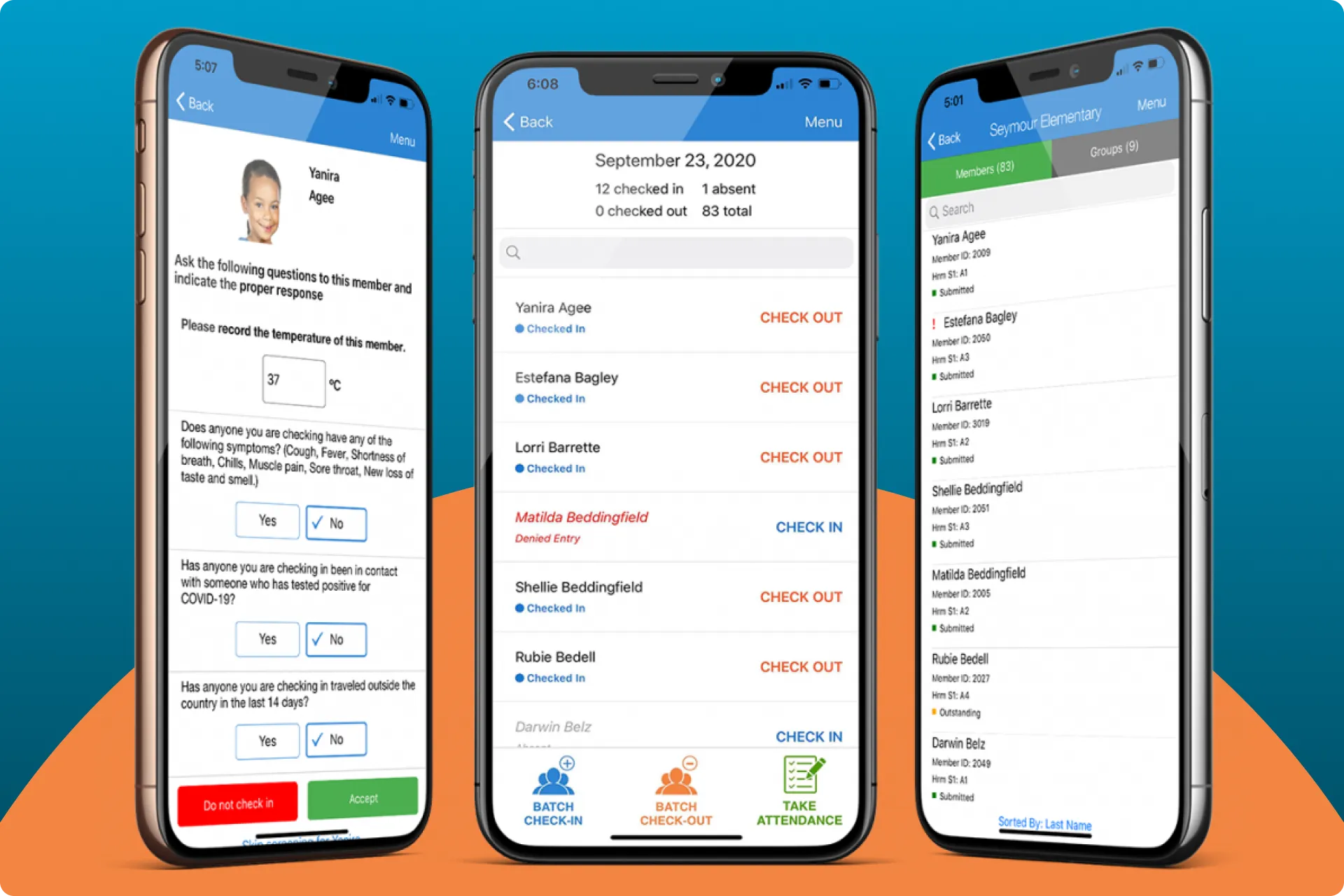
The mandatory check-in/out flow was lengthy
ePACT offers a platform that allows sport and recreational activity managers to track attendance of the kids in their programs, and all of their permission slips and medical records in one place.
At the start of an activity day, parents drop the kids off and must digitally sign for them in the app, then do the same thing when they pick them up. The check-in/out flow worked well at the start and end of the day, however, many places have the kids switch activities multiple times a day, and managers must manually check-in/out these large groups of kids 4–5 times in a day.
Problems
Managers found the current flow lengthy and cumbersome.
Many places have the kids switch activities multiple times a day, each time requiring the Manager to check them in/out.
This repetitive process required the manager to enter their personal information for every single child, 10–30 times in a row upon check-in, and then again upon check-out, for every group of kids.
Goals
Cut down on the time spent checking in/out groups of children.
Enhance UX anywhere possible with low-effort updates.
Constraints
No styling updates. We were outsourcing the development, so our main constraint was that we only had budget to work on absolute necessities and could not update styling.
Time. We needed this done by the beginning of the summer.
How to measure success
Increase in positive feedback with our Check-in/out flow.
Decrease in time spent in the check-in/check-out flow.
So with all that, here’s how I improved the check-in flow.
Discovery Session
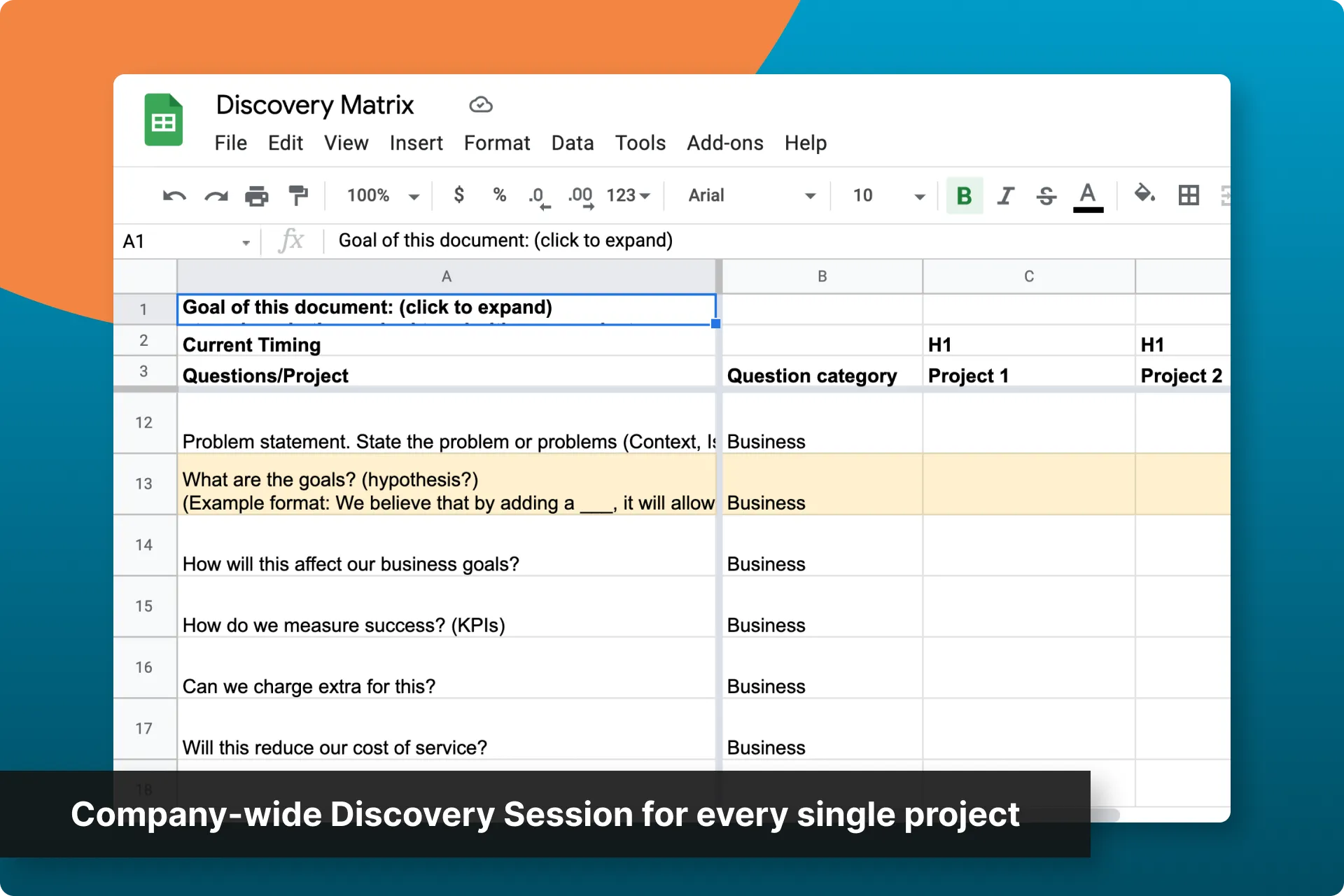
In order to justify this as the most important feature to be working on first, I conducted a company-wide discovery session so I could outline all of the projects ePACT wanted done, and why. I wrangled everyone at a manager level or higher and created a matrix of projects and responses to my standard discovery questions.
This allowed me to understand:
- How we believed each project would affect revenue
- What user feedback/data we had to support each project
- Any technical/budget/time constraints we had for each project
- Any gaps in our understanding of this project or why it needed to be done
Strategy
This was the most requested feature we had, and one we believed would help with adoption, so it earned top priority.
Our time constraint to have this done before the beginning of summer called for a lean approach: skip deep research and validation up front, design and build it, then track the data and adjust, with usability testing if time allowed.
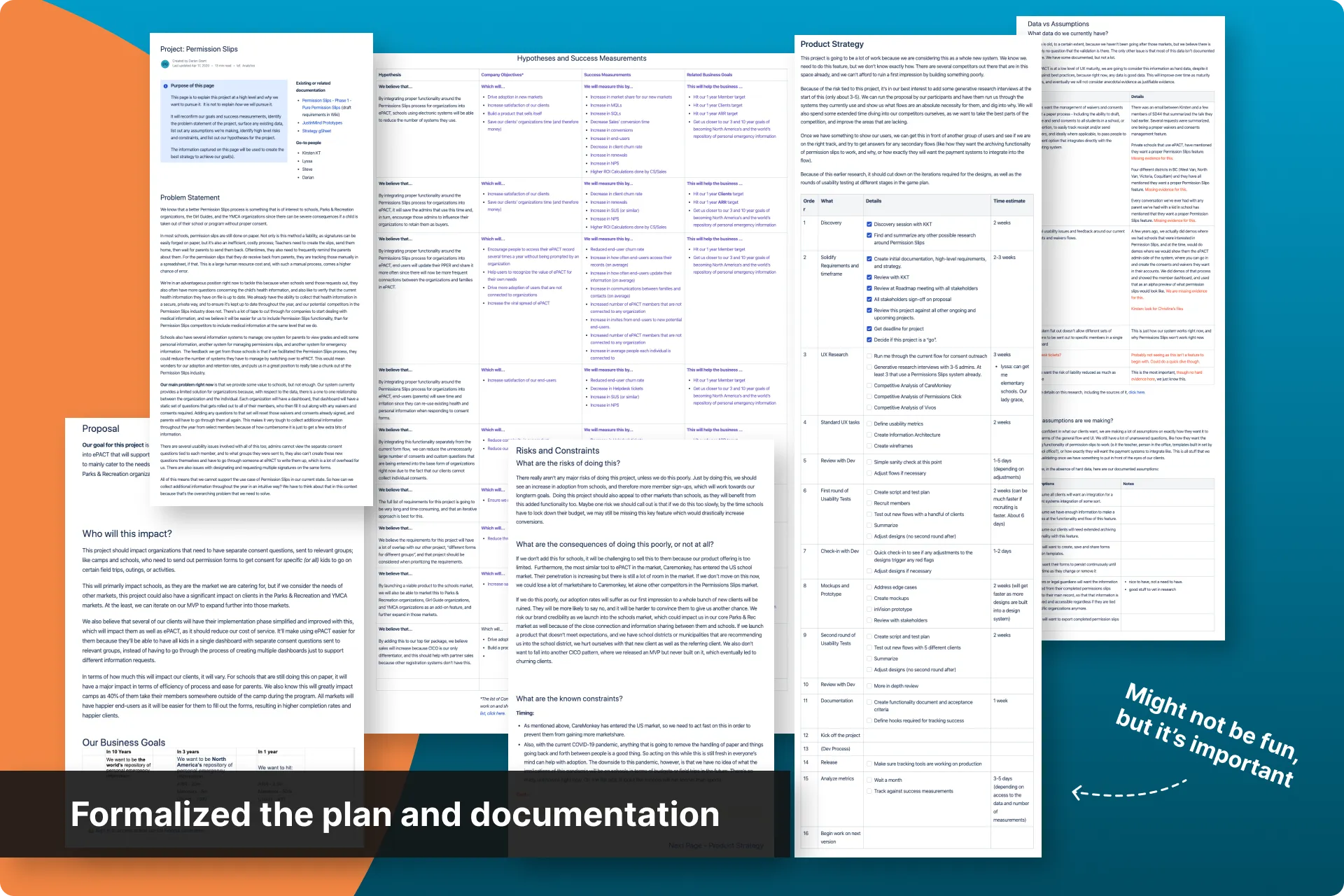
I documented it all in a strategy doc so it could be agreed upon, communicated, and tracked.
Benchmarking and KPIs
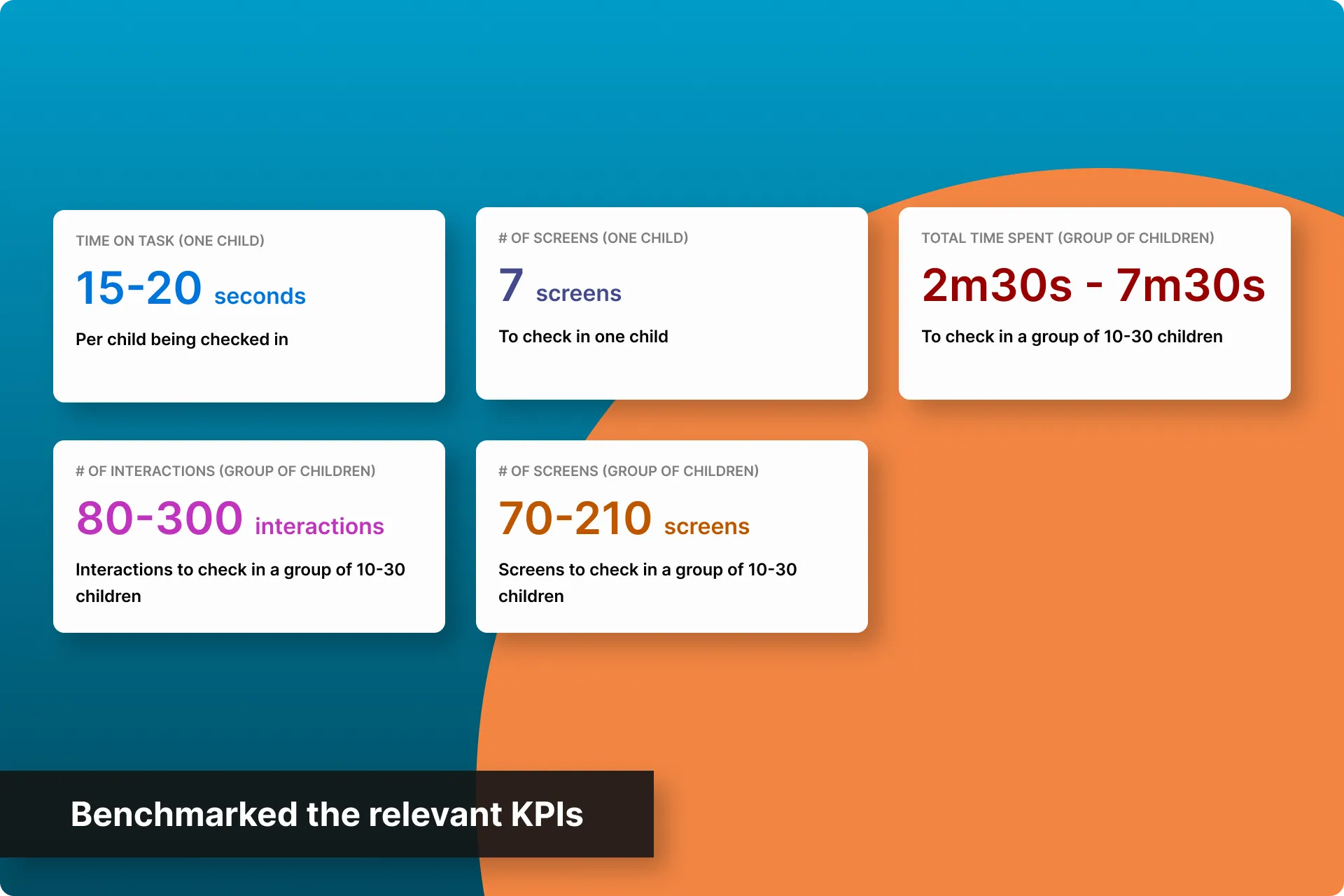
The first step in the strategy was to benchmark so we could measure success at the end. Working with BI, I found:
- "Time on task" ranged from 15 to 20 seconds per child being checked in. This range mainly came from how long it took to find the right child in the list, and how long it took to change the "guardian" to the admin.
- "Total time spent" to check-in/out all children in a group ranged anywhere from 2m30s to 7m30s. This range was dependent on the number of children being checked in/out.
- Interactions ranged from 8-10 across 7 different screens/states for each child being checked in. That meant to check in a group of 10-30 children, the activity manager had to make 80-300 interactions across 70-210 screens.
This gave us KPIs that we could use to hypothesize with around the business goals.
Wireframes
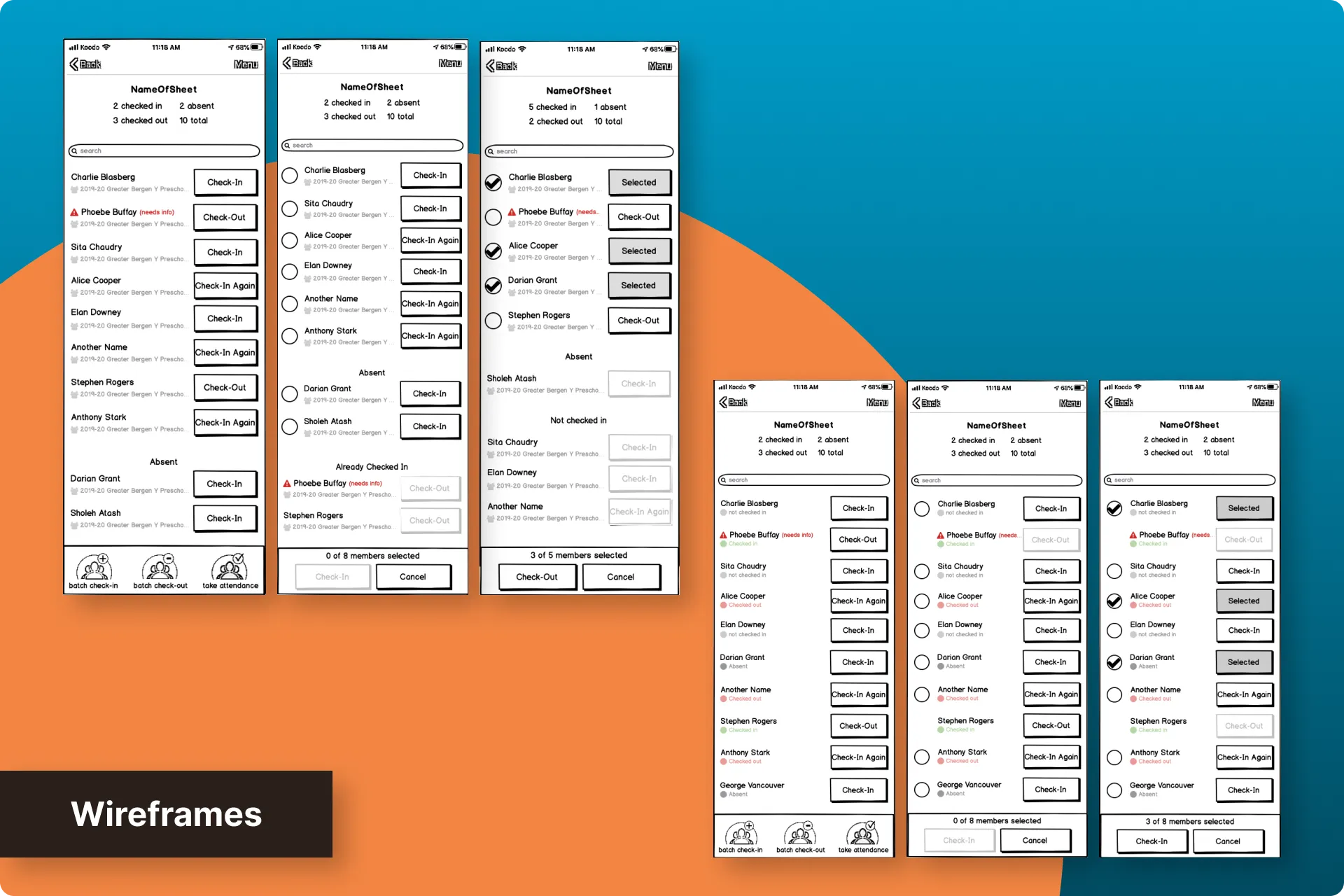
Next, I took a stab at the wireframes. Not only was I trying to simply add a batch feature to this flow, I also wanted to cut down on the number of interactions and screens the user would have to go through on the supporting screens in the flow.
The biggest change was that when “batch” was selected, I had it default to the Admin as the person checking them in/out instead of the admin having to find themselves amongst all of the guardians.
I made a few iterations after some gut checks with the in-house developers.
Mockups and Prototype
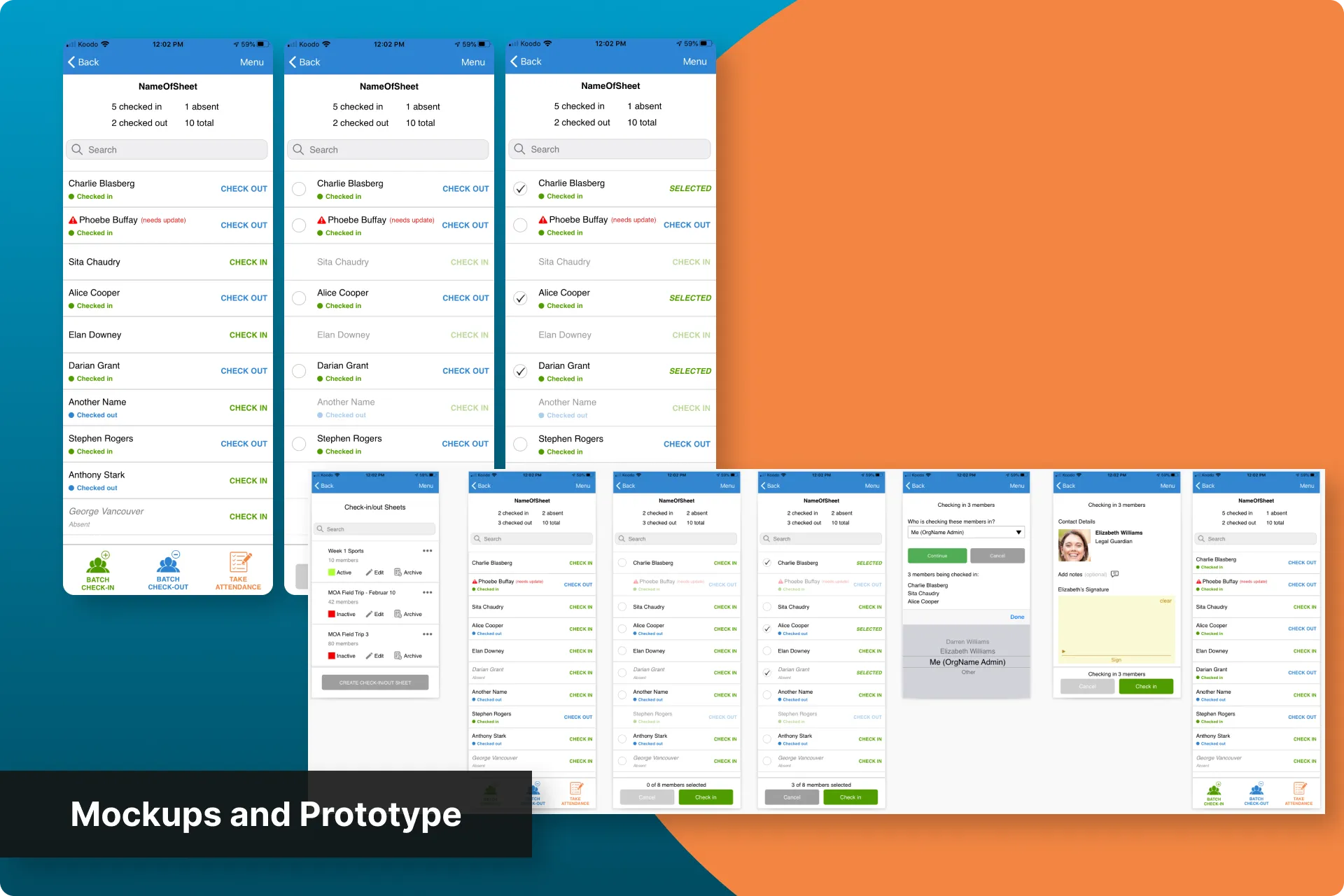
I then created some mockups, keeping in mind the constraint that we had to limit as much dev time on this as possible.
This meant I couldn't update a lot of things like styling, or better present certain information on supporting screens.
I created an InVision prototype to be able to better communicate it to our outsourced developer.
Usability Tests
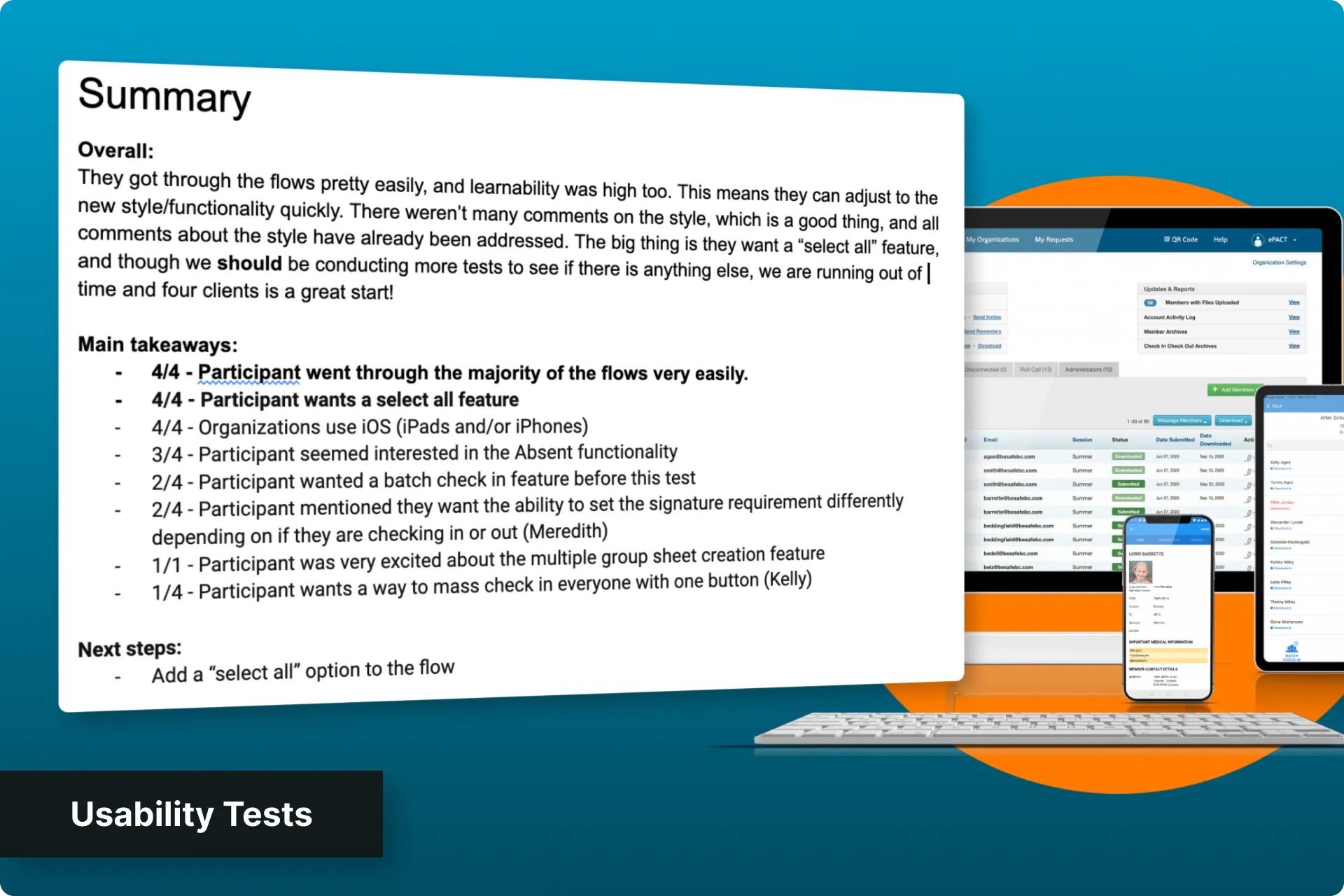
Ahead of schedule, I had a little bit of time to collect some feedback from users, so I put together a quick usability test and managed to interview 4 participants. It wasn't many, but they were all experienced with this part of ePACT's platform, so the feedback was very high-quality.
From the feedback gathered, the main highlights were:
- Participants found it easy to get through the flows
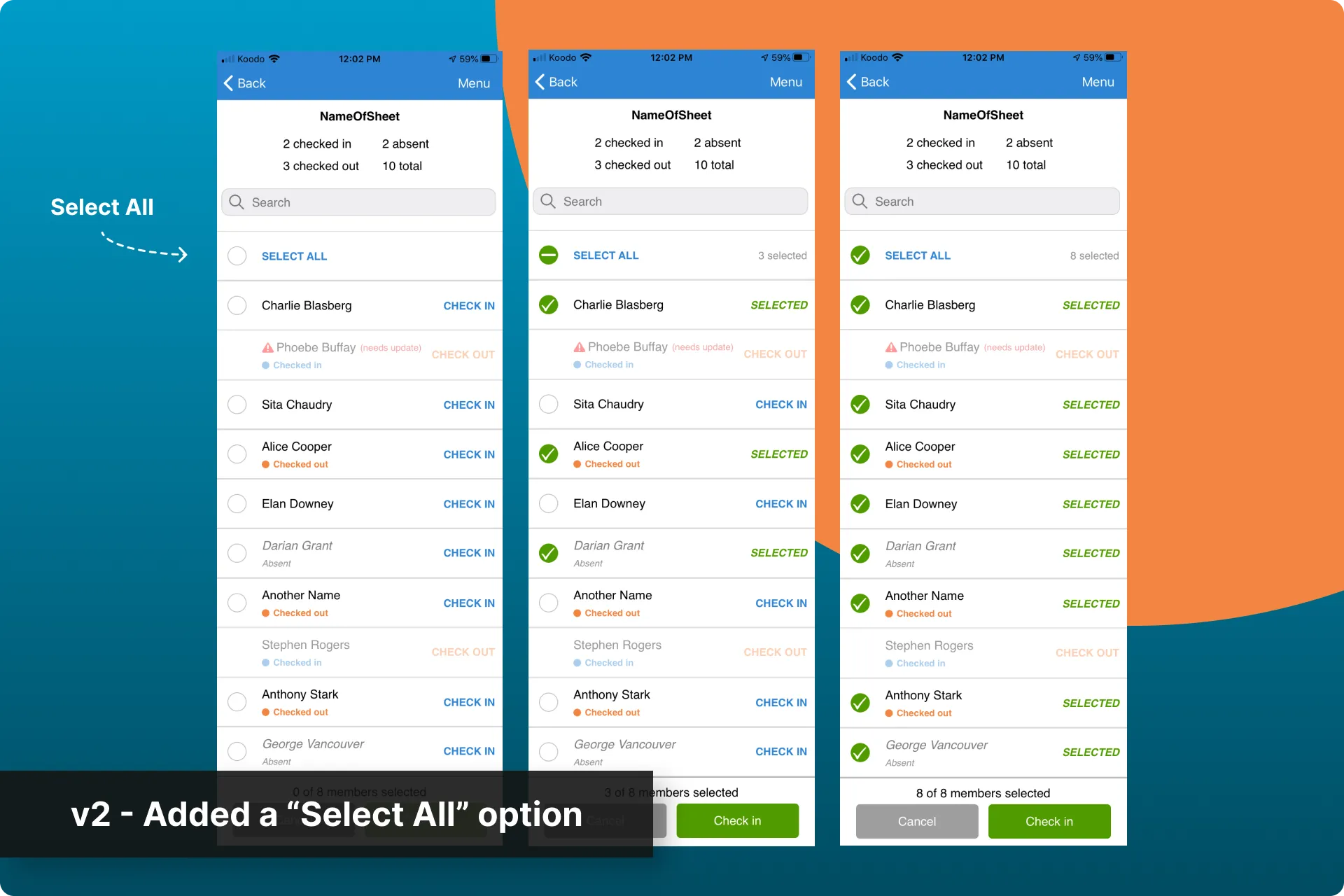
- Participants wanted us to add a "select all" option for participants, but would be content with the feature as-presented.
Build and release
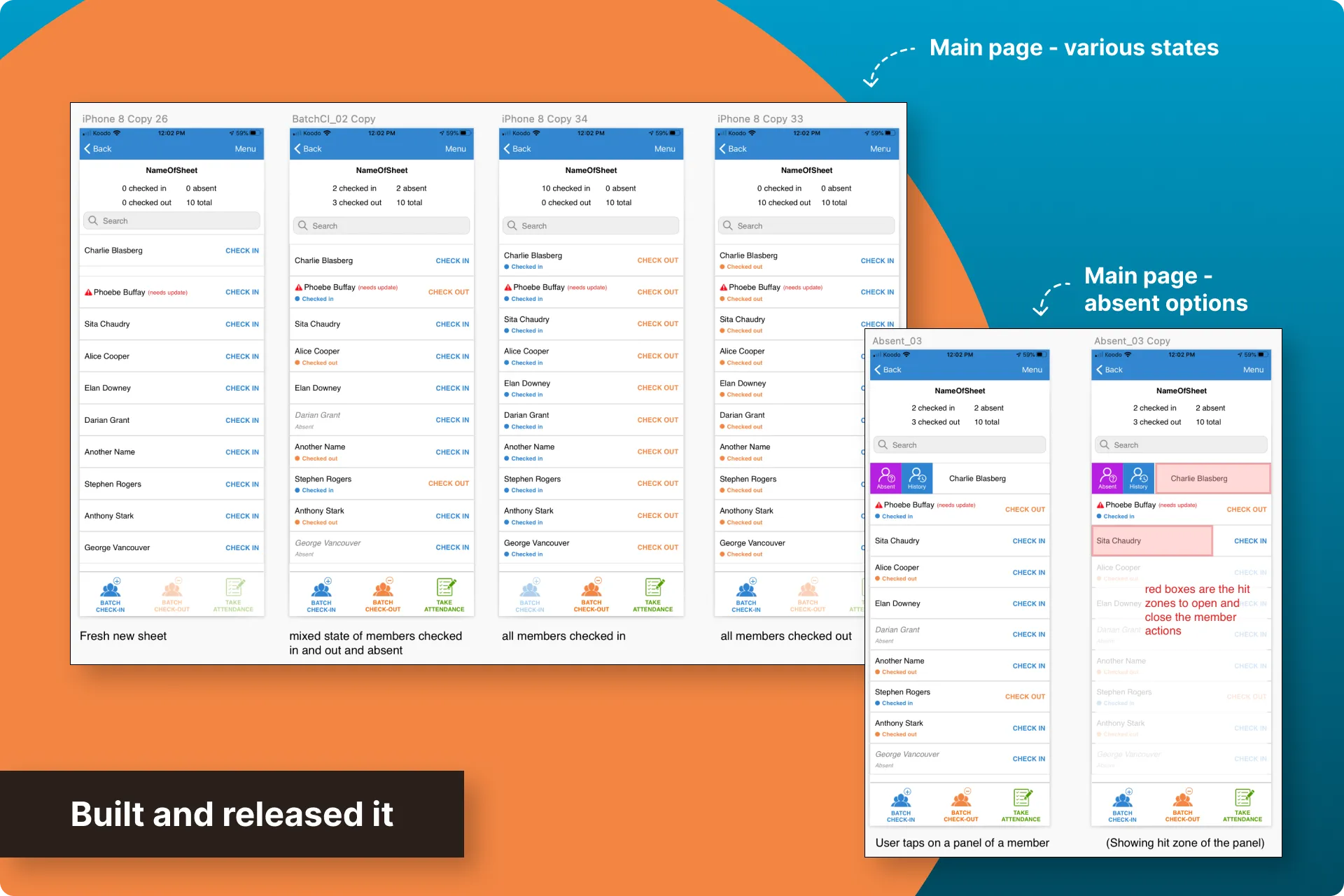
I communicated the designs to the developer and we released the update to the app store.
KPI results
From the first release of the batch check-in/out update, we got some great results:
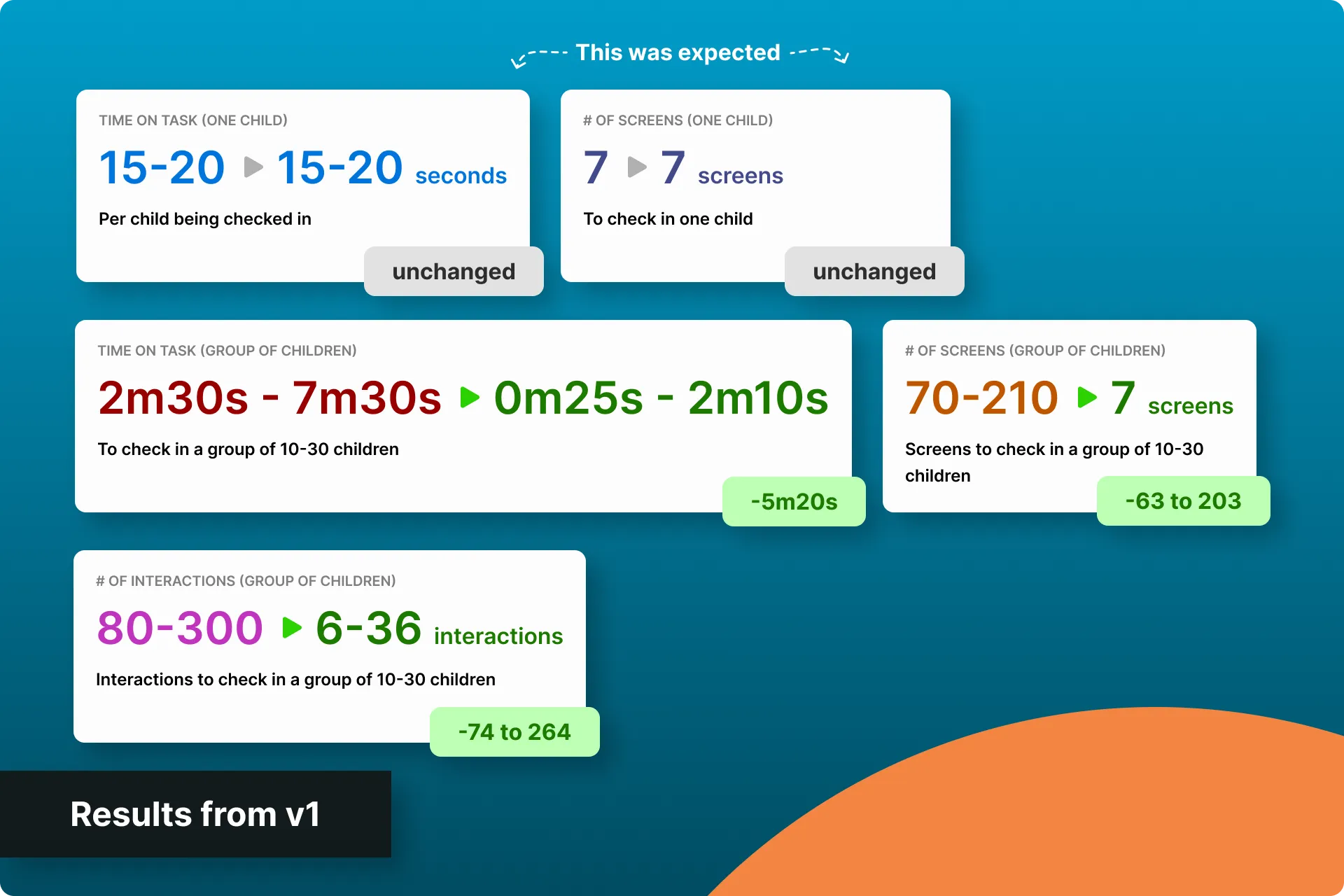
- "Time on task" for individual children remained the same, which was still a win as we were specifically targetting a batch check-in/out flow. It's important to call out that we didn't lengthen the individual check-in/out flow though.
- "Total time spent" to check-in/out all children in a group went from 2m30s-7m30s, down to 0m25s-2m10s. This range was dependent on the number of children being checked in/out. This was saving the activity managers at least 5m20s in the app, each time they had to go through this flow, which was several times a day.
- Interactions from the activity manager went from a range of 80-300 interactions across 70-210 screens, down to 6-36 interactions across 7 different screens to check in the same number of children.
Next iteration
Shortly after, we started on the next update: add a "select all" option to the flow. We knew this was the right next step because we already had that feedback from the usability tests.
This was a simple update that didn't require wireframes. It was added directly into the mockups and prototype, communicated to the developer, then built.
v2 results
After we added the “select all” feature:
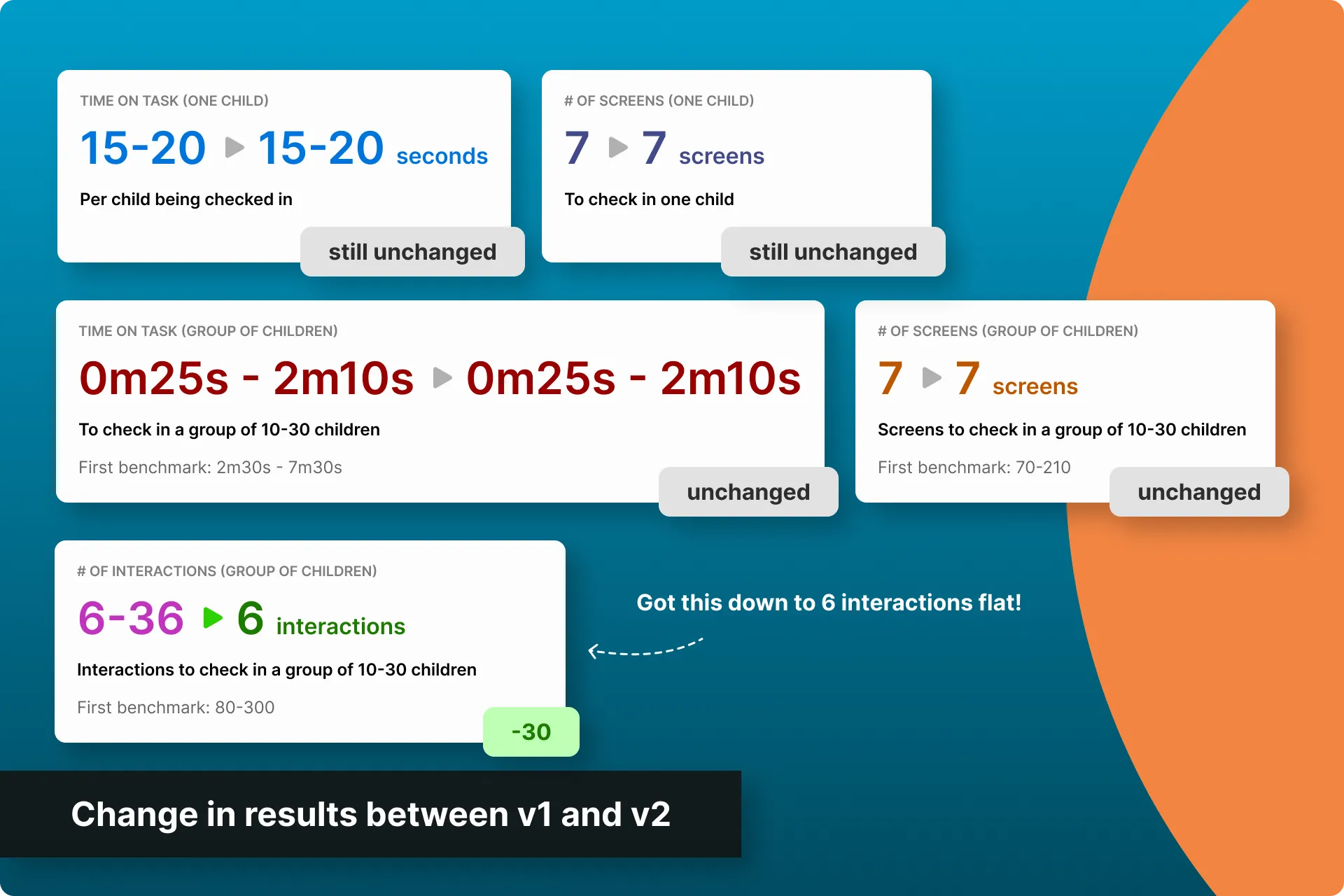
- Interactions from the activity manager went down to as little as 6 interactions across 7 screens to check in 30 kids. Interactions increased when there were kids that were on the list, but absent, and had to be switched to that status.
- "Time on task" and "Total time spent" didn't really change, as activity managers still had to do head counts and scroll through the list to make sure they weren't missing any children, however, we received a lot of positive feedback from our clients about this update.
Business results
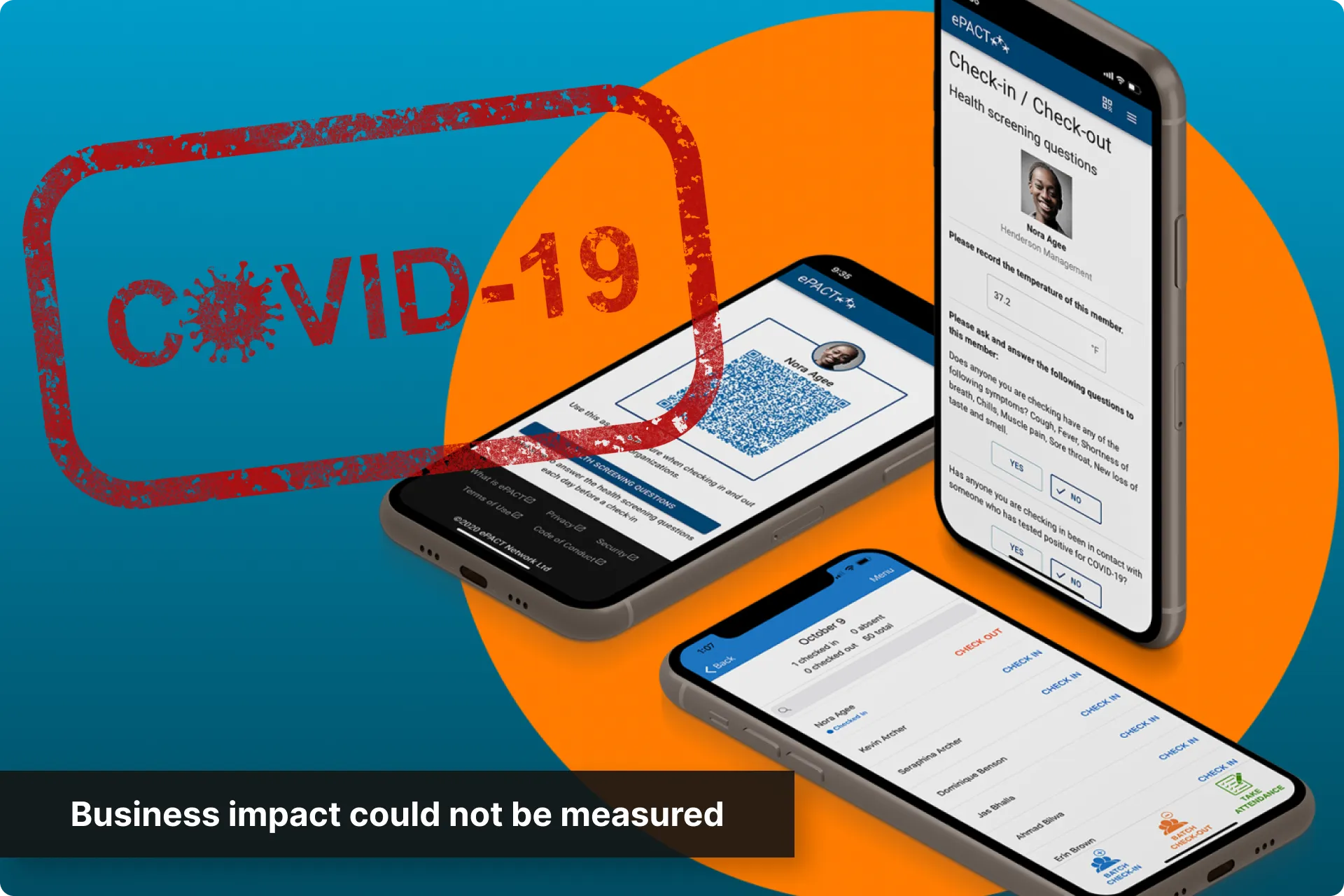
It's hard to isolate how this affected the bottom line in terms of acquisition, retention, or revenue because COVID hit and recreational activities for children stopped across North America. This hit ePACT hard, and we shifted to adapt to the new needs of certain programs that stayed open; however, a lot of business was lost.
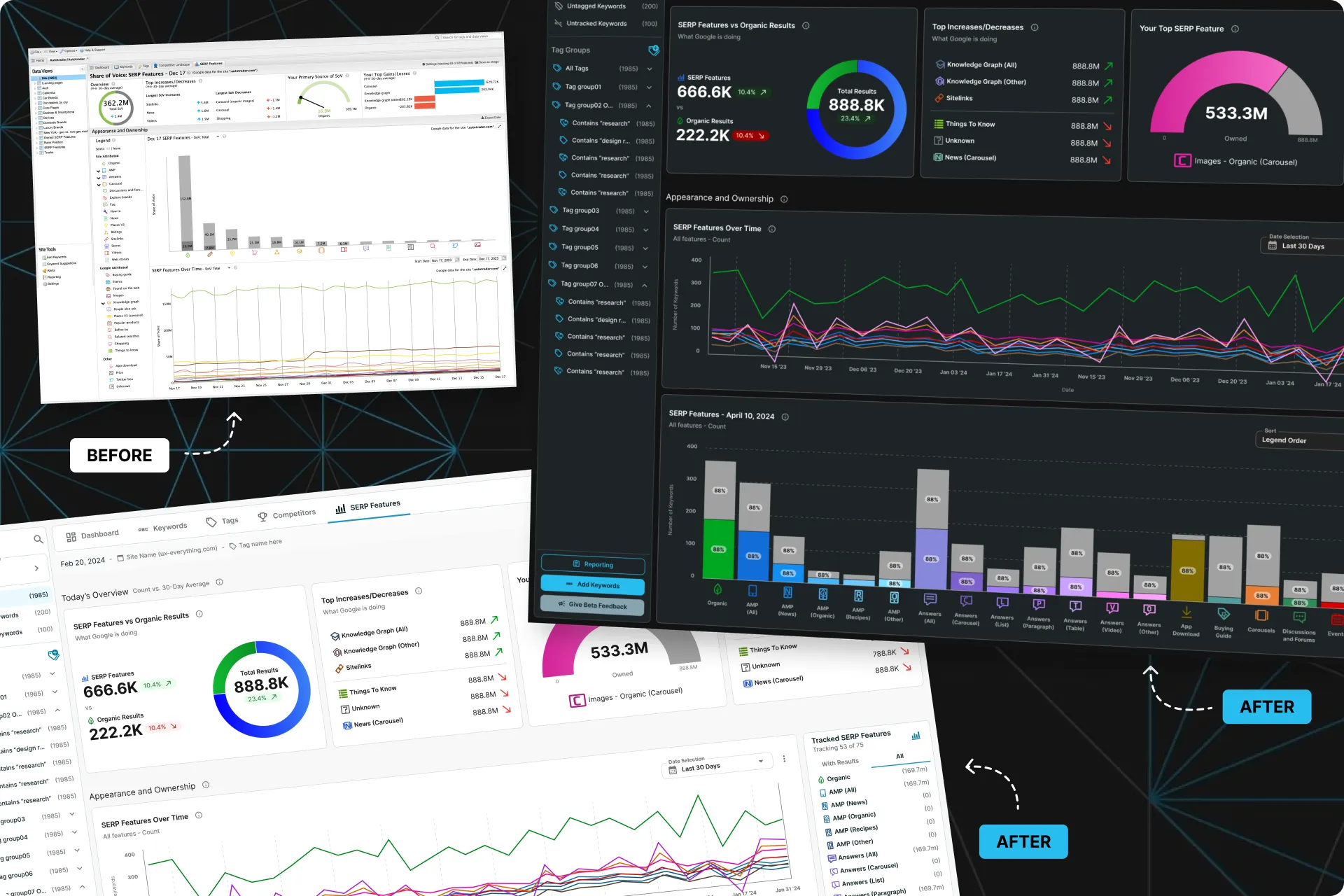 Diving into our repeatable design process
How we modernized STAT incrementally through a repeatable design sprint process that kept UX ahead of Dev without sacrificing research, validation, or confidence in our decisions.
Next Case Study
Diving into our repeatable design process
How we modernized STAT incrementally through a repeatable design sprint process that kept UX ahead of Dev without sacrificing research, validation, or confidence in our decisions.
Next Case Study
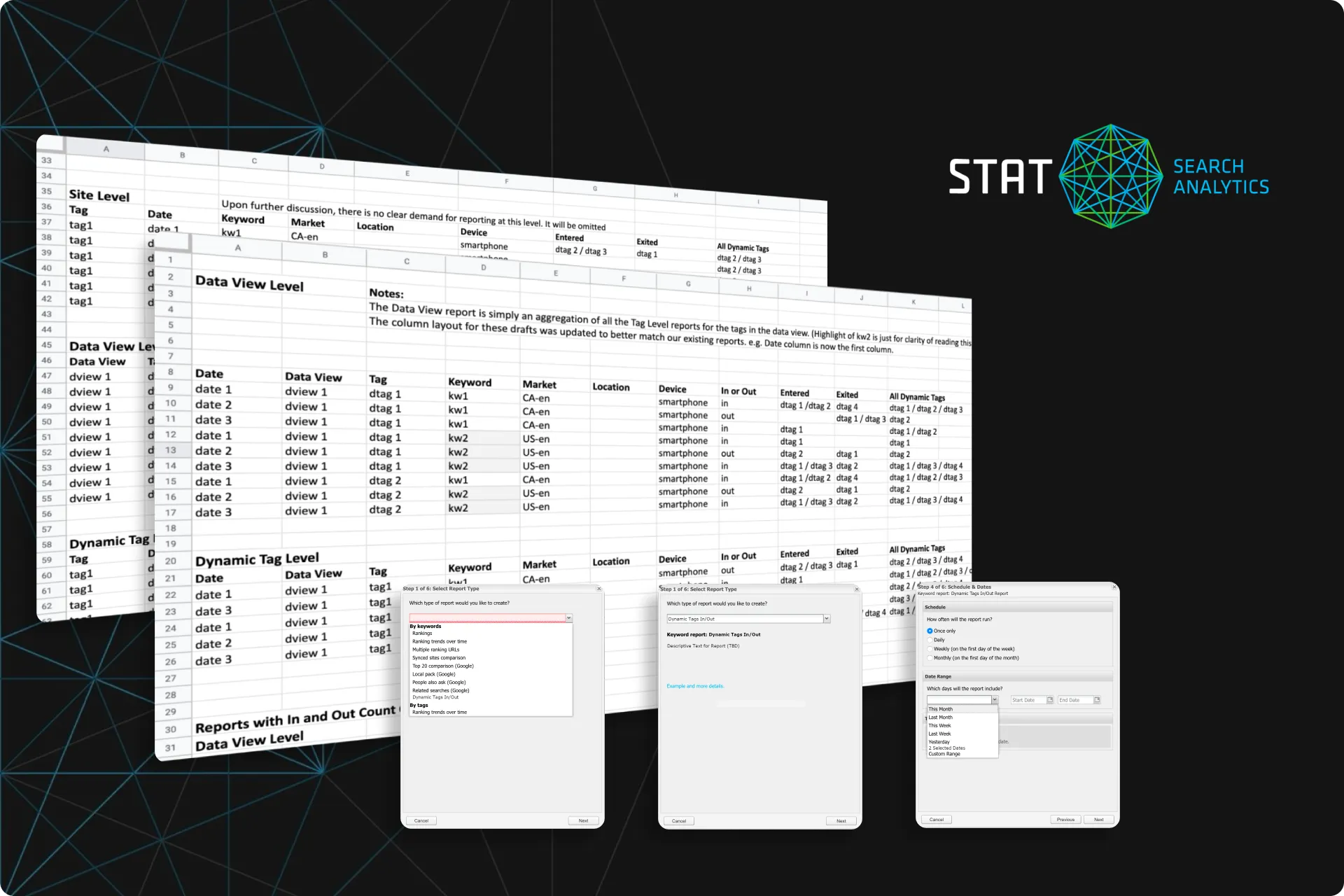 Simplified the MVP. Magnified the results
How I refined an MVP to save months of work for the devs, 9 hours of CS time a week, and increased the unique value of our product... all without a fancy UI.
Simplified the MVP. Magnified the results
How I refined an MVP to save months of work for the devs, 9 hours of CS time a week, and increased the unique value of our product... all without a fancy UI.


 Email me