An AI passion project I built with Claude
How I used Claude as my design partner and lead developer to build an app that cut my monthly 4-hour bookkeeping task down to 30 minutes.

Over 2 years of manual reconciliation
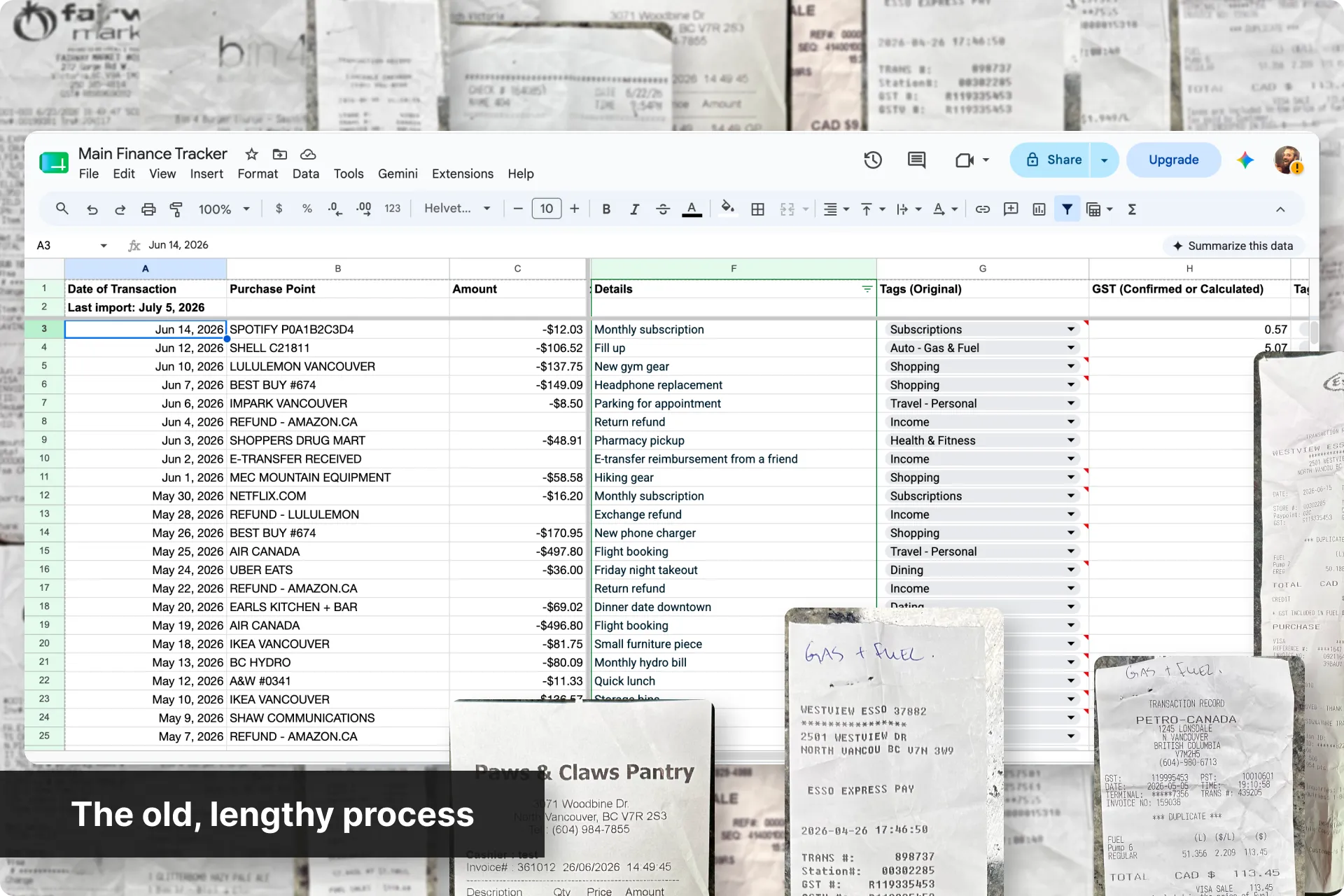
Since Mint shut down in early 2024, I've been running a spreadsheet for tracking every dollar I spend for budgeting, my business, and tax prep.
Keeping it current has meant logging into 6 different accounts every month, copying transactions by hand into a spreadsheet, and matching a pile of paper and digital receipts against them one at a time. That ritual was costing me 4+ hours every single month.
With AI where it is today, I felt confident I could actually scope this as a real project instead of living with this process indefinitely.
Problems
Since the discontinuation of Mint, there is no free tool that automatically consolidates transactions across several bank accounts. Each month, I have to manually export or copy transactions from each account, reformat them to match a personal spreadsheet structure, and reconcile receipts (physical, email, and app-based) against each line by hand.
Some smaller problems are: Every account also exports data differently - some are copied and pasted directly, some are manually writing them in, some are PDF statements, others are exported as a CSV. Statement and export timing also varies by institution, making it difficult to capture a complete and current picture of spending on any given day.
Goals
Cut down time: Reduce the monthly consolidation process from 4+ hours to under 1 hour for the MVP, with a long-term goal of 5–10 minutes through full automation.
Automate all the minor adjustments: Normalize transaction data from multiple institutions into one consistent local spreadsheet format automatically.
Fully secure and offline: Preserve full data security by keeping all information local, with no data stored in the cloud or passed through any third-party service other than extracting the transactions from the banks themselves.
Make it scalable: Build a foundation that can support receipt upload and matching, and other advanced features, in future versions without requiring a rebuild.
Constraints
Free: The tool itself had to cost nothing to build or run.
Completely offline: Everything runs locally, with no cloud storage and no third party beyond the banks themselves.
No personal information: Only the last four digits of any account number are ever stored.
ELI5: No development background on my end, so every technical decision needed a plain-language explanation and my sign-off before it was built.
How to measure success
The big success measurements here are reducing time and maintaining accuracy.
Reducing time: Each part of the process has benchmark times that I wanted to improve
Maintaining accuracy: It's important that there are no errors, as this deals with the financials for my business.
So with all that, here's how I built the app with Claude.
Generated my PRD
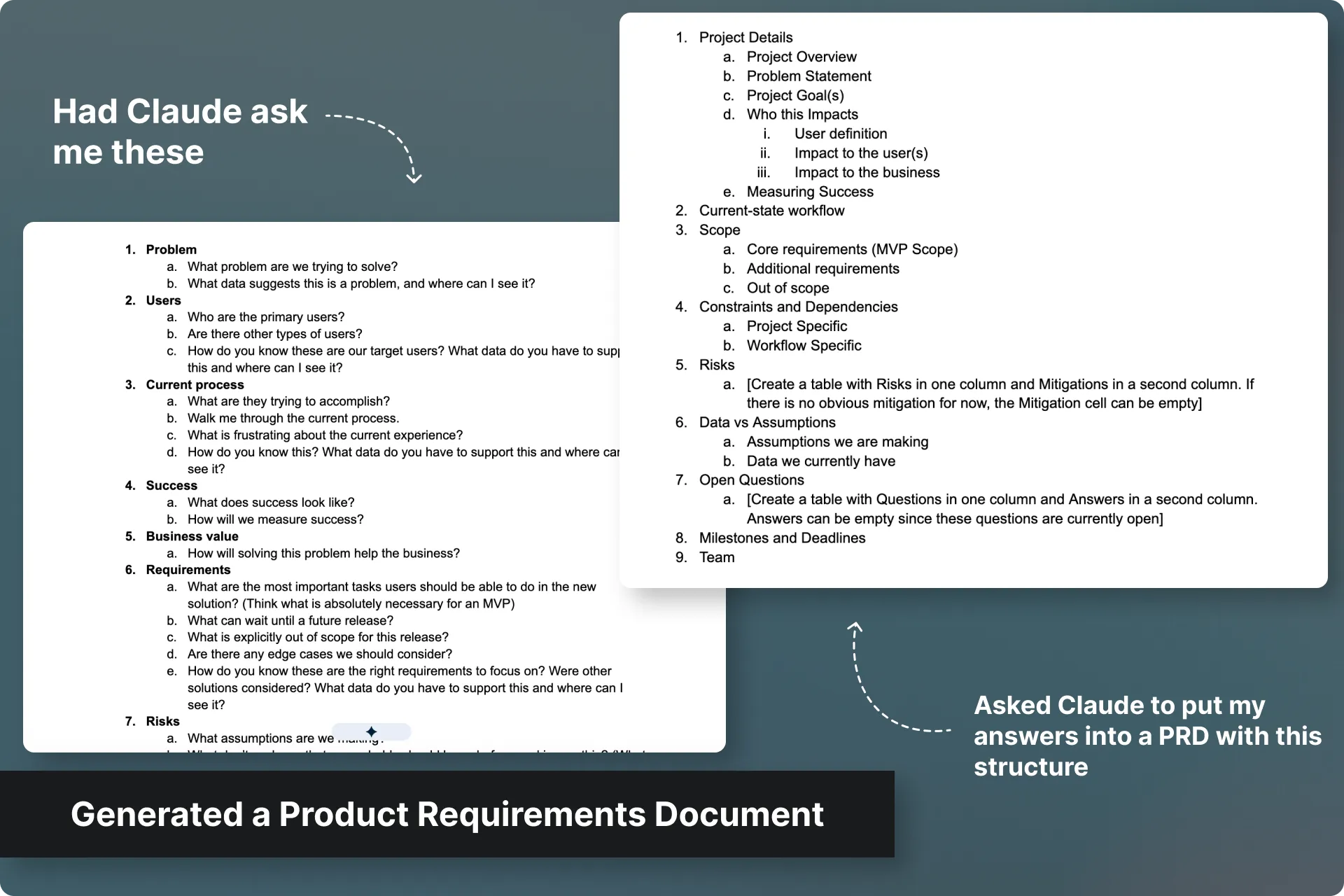
Instead of writing the Product Requirements Document (PRD) myself like I normally would, I wrote and refined a PRD-generator prompt that had Claude interview me with a structured series of questions I use in all of my Discovery Sessions. The outcome was a written PRD with a list of prioritized requirements and a clear build order. That priority order then became the actual roadmap.
How AI changed my process here:
Historically, this step was a blank Word doc I'd fill in alone over an afternoon, then pass off to my partner to ensure it makes sense to others.
Using the prompts I've refined over several AI projects, it's now become a self interview where I could respond naturally. I didn't have to worry about how everything tied together, as Claude would clean it all up and put it together into my preferred format for me to review and adjust.
The working agreement with Claude
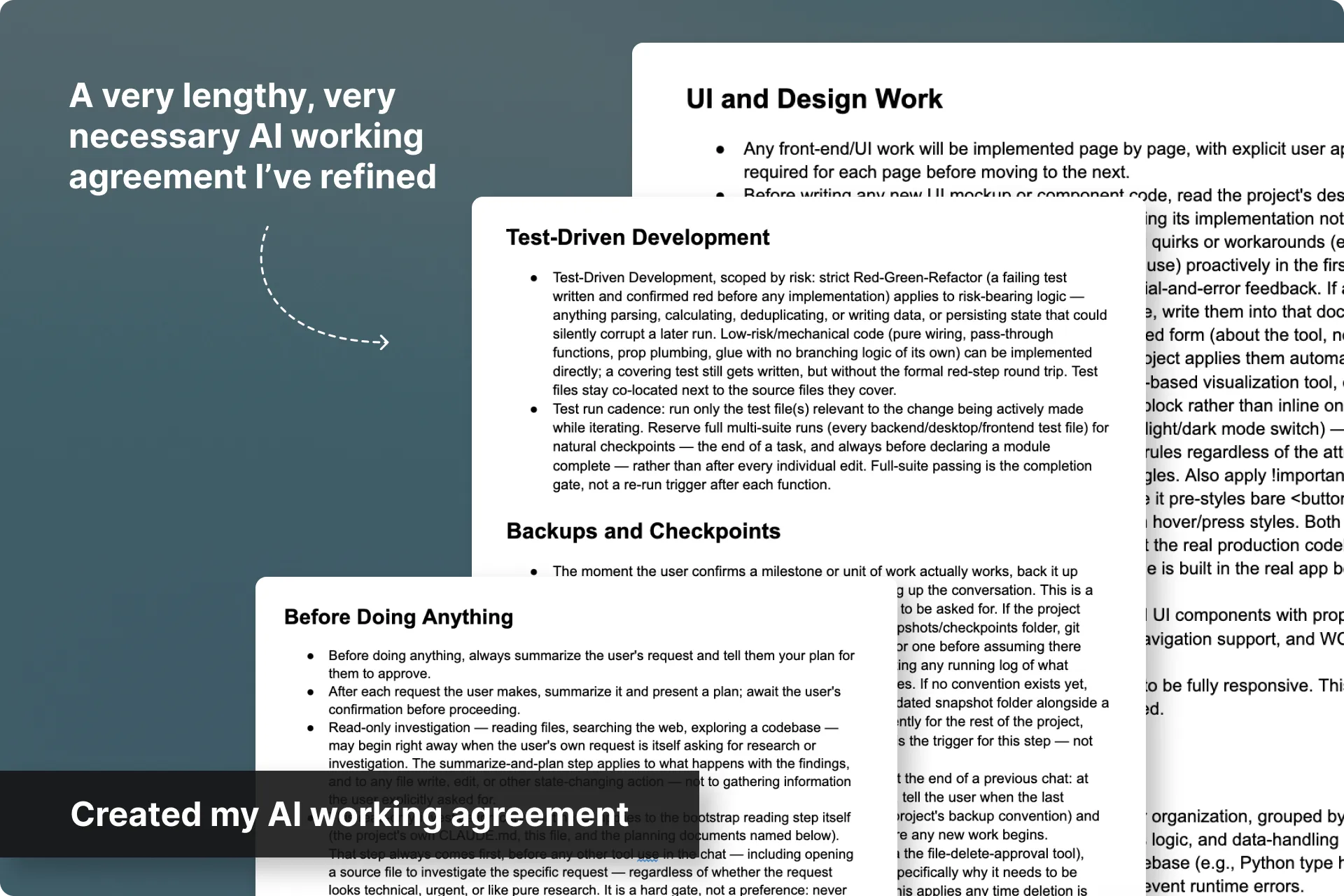
A big thing I've learned in my journey with AI is that if you want higher consistency in your outcomes, you need to have a solid working agreement with your AI assistant.
This agreement is an organic set of rules that I've refined over several projects, and that gets read at the start of every single chat in a project. It outlines expectations and keeps your AI within certain guardrails.
Set up the frontend foundation
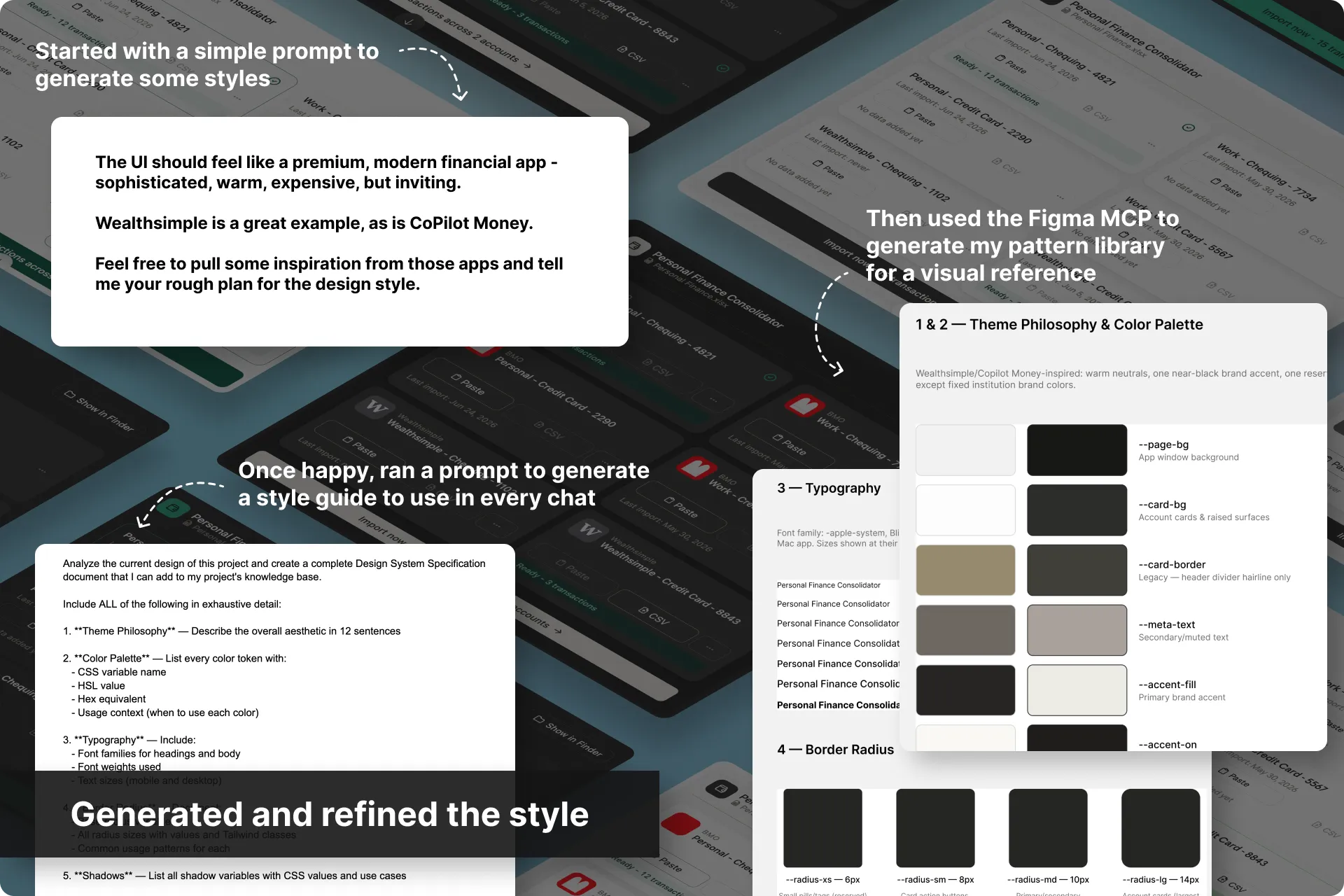
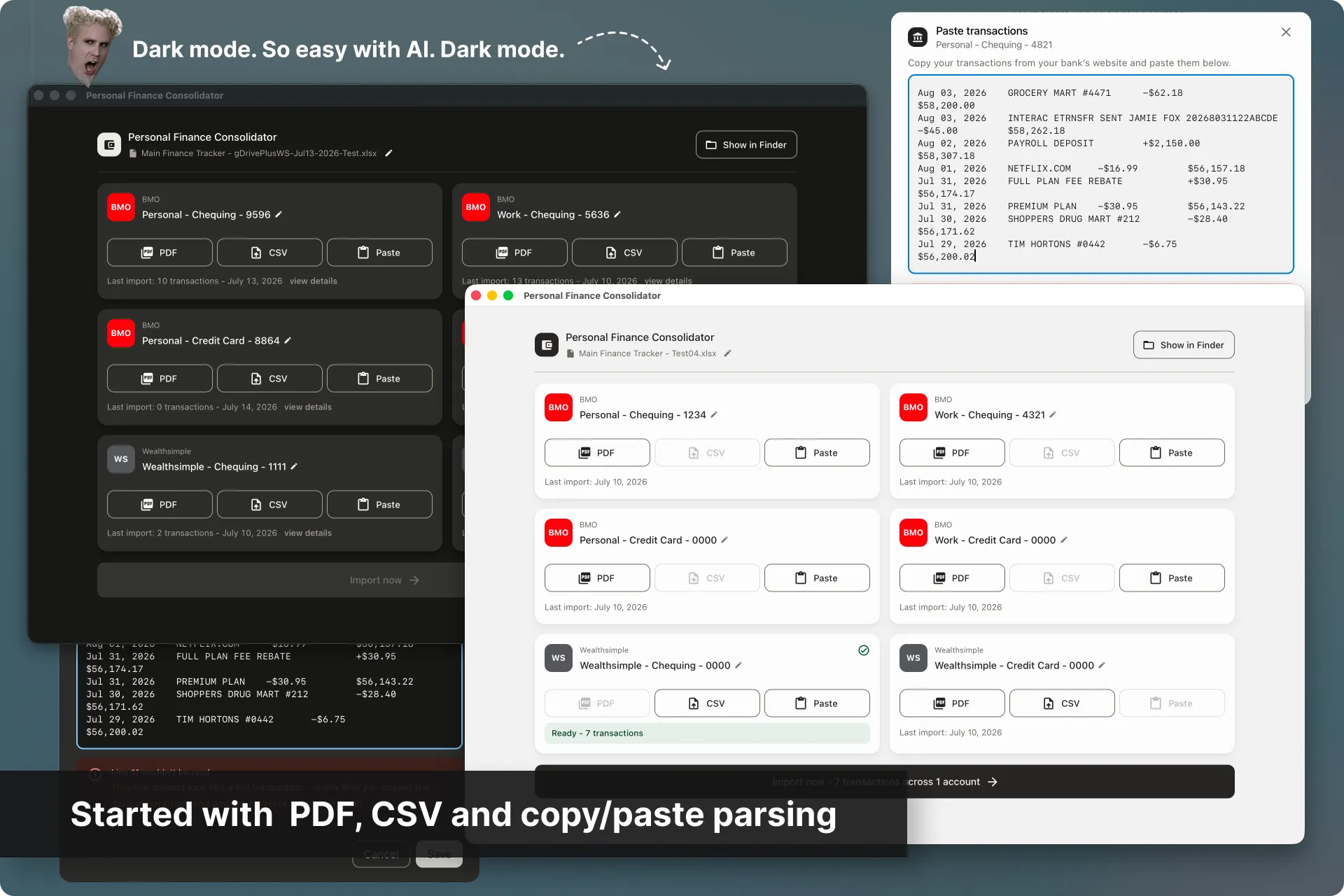
I knew I wanted to build this using MUI and React, so I set that up immediately. This would allow me to see the progress on a somewhat polished version right away. I gave it a few extra suggestions on style based on what I liked from other financial and FinTech apps.
After I felt it was good enough, I had Claude export a proper style guide that I could load into the project's instructions and design system file to ensure consistency across each step.
How AI changed my process here:
Normally I would have done competitor analyses, then wireframed everything out to see how I'd fit all of the requirements onto each screen, but now that's been completely reversed. Now with AI, I can see how everything fits on screen in a polished form that drew inspiration from other products out there, and decide if it's good enough or not for v1.
This also took a process that would have taken hours-to-days down to minutes.
Getting 6 accounts into 1 spreadsheet
Each account had multiple ways of displaying their transactions, with very little overlap between them. The first challenge was to get them out of my bank accounts, uploaded to this new tool, parsed accurately, and then written to one spreadsheet.
I worked with Claude to set the reconciliation rules then let Claude own the actual parsing logic outright. I tested everything along the way.
Once all six accounts were trustworthy and being uploaded to my spreadsheet, the next big chunk was to get receipts into the system and parsed accurately.
How AI changed my process here:
What would have taken weeks to flesh out, review with stakeholders and dev, then build, took a few hours including adjustments and testing. I also would never have been able to build this on my own sooo... yeah.
Uploading and parsing receipts
Importing transactions was now a lot quicker, but the lengthiest part of my process was matching my physical receipts to the specific transaction in my spreadsheet.
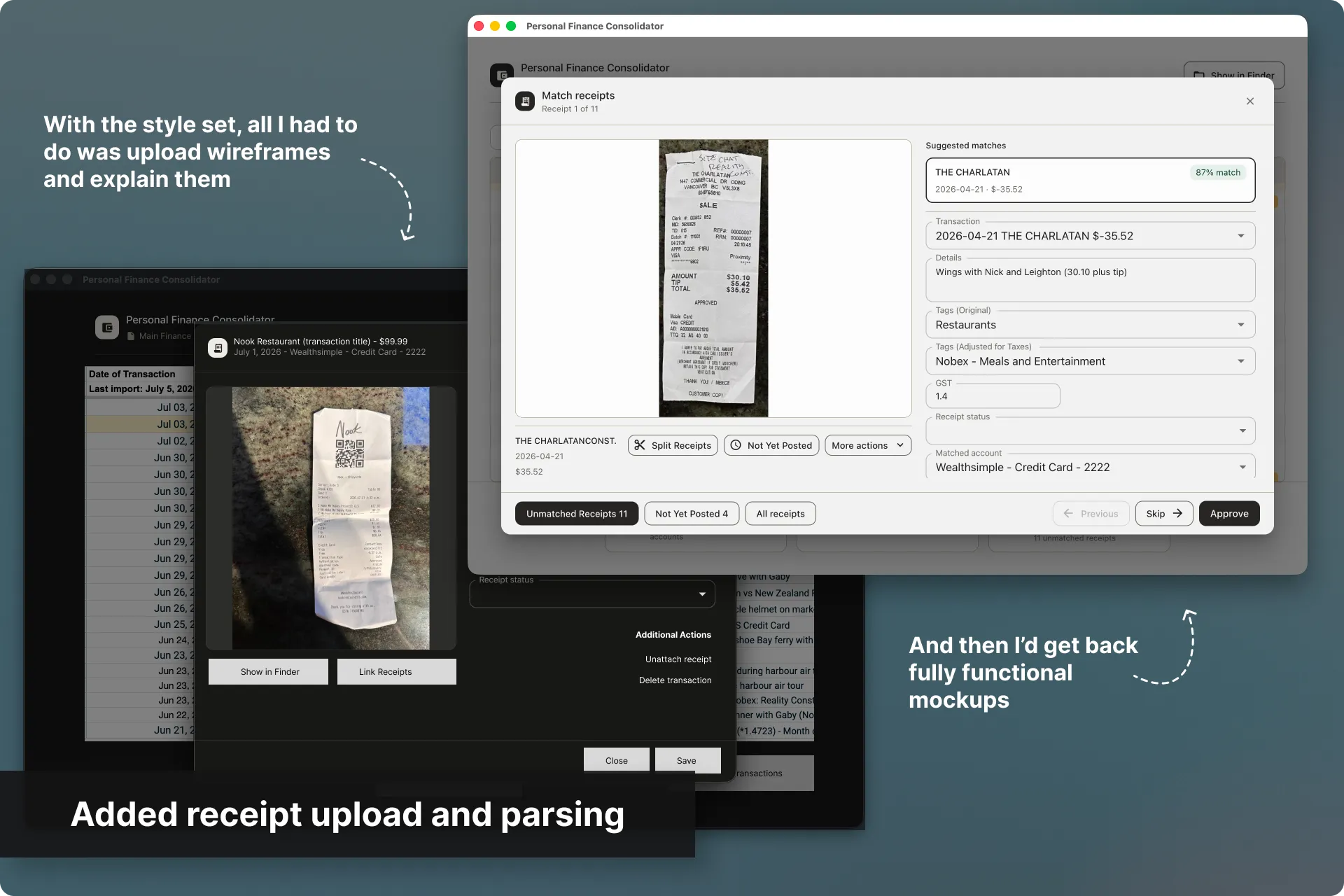
Working with Claude, we integrated on-device OCR to read merchant, date, GST, and total off a receipt photo. We then created a matching engine that ranked likely spreadsheet rows by name and date. I fed this dozens of my own real receipts, tweaking the engine after each fail. The outcome was a review screen I could trust.
Now I could simply take photos of my receipts, upload them, and the system would fill in the parsed information automatically to matched transactions. Receipts that couldn't perfectly match were left for me to review.
How AI changed my process here:
Another great thing about building this with AI was that I could just feed it wireframes and written requirements, and using the existing style guide and design system, it would immediately build me a polished, fully functional feature.
Splitting a group of receipts
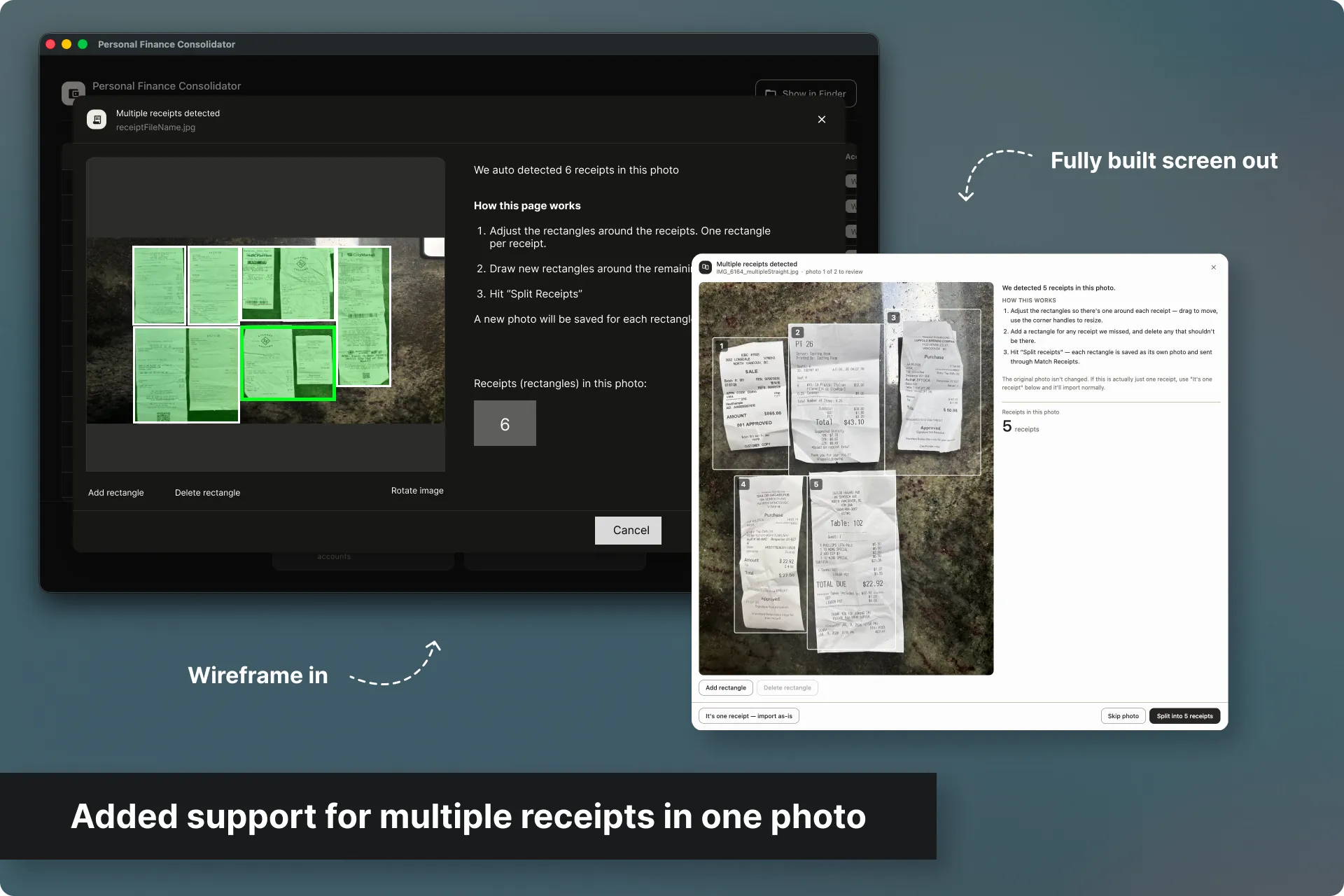
To cut down on time spent uploading receipts, I added detection for multi-receipt photos.
I also added a review screen to confirm the split before anything finalized, and a manual fallback for cases the detector missed.
Displaying the transactions in-app
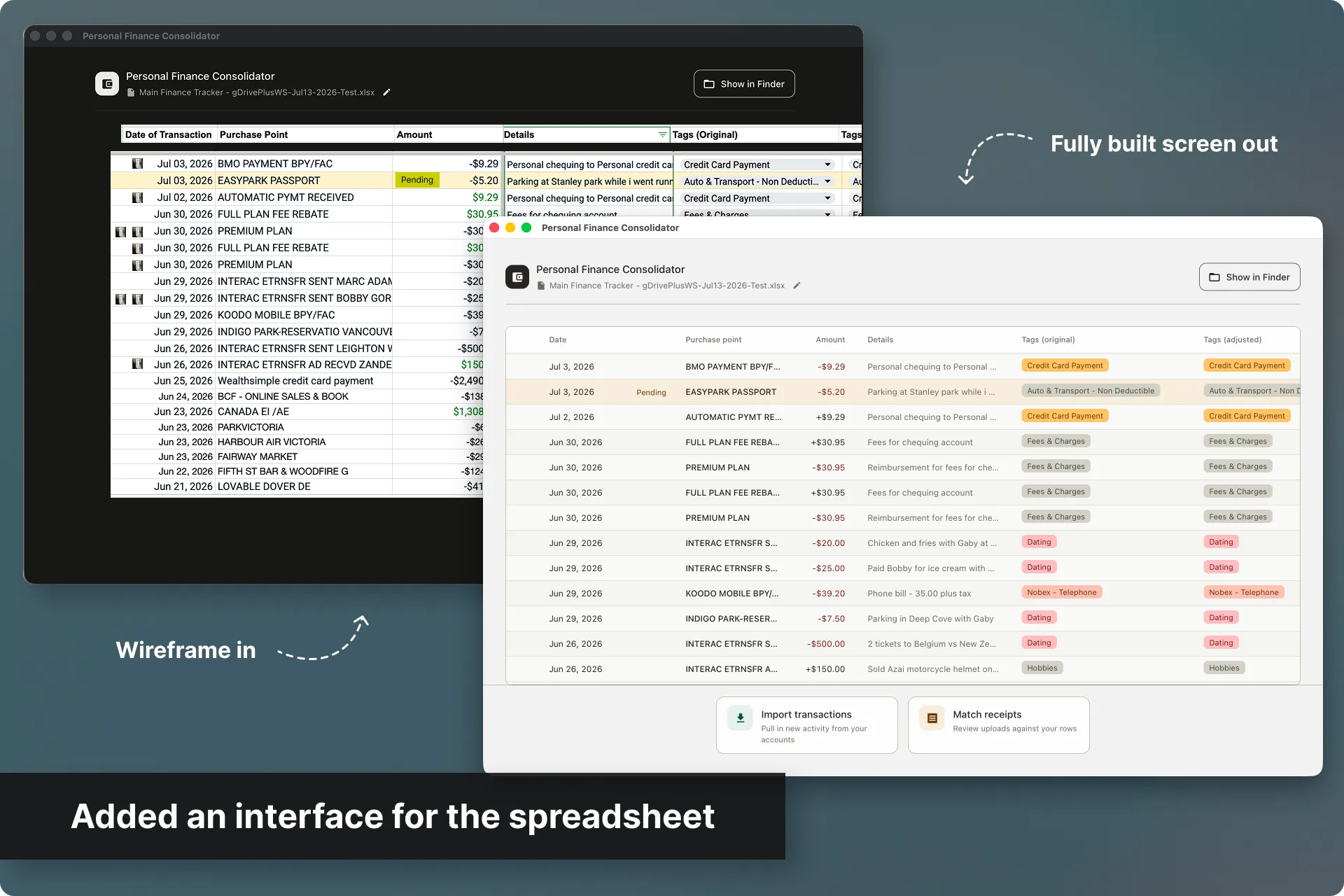
Building this on a Mac, I got tired of having to open my spreadsheet in Numbers to test (because Numbers sucks), so I decided to build an interactive UI for my spreadsheet.
I used AI to explore wireframes that I compared live, plus created a full Transaction Detail Modal with linked receipts and editable fields.
The outcome was a functionally complete product, however, I felt the interface seemed too basic now for how much the product had evolved. It was time for a more modern update.
Finalizing the UI
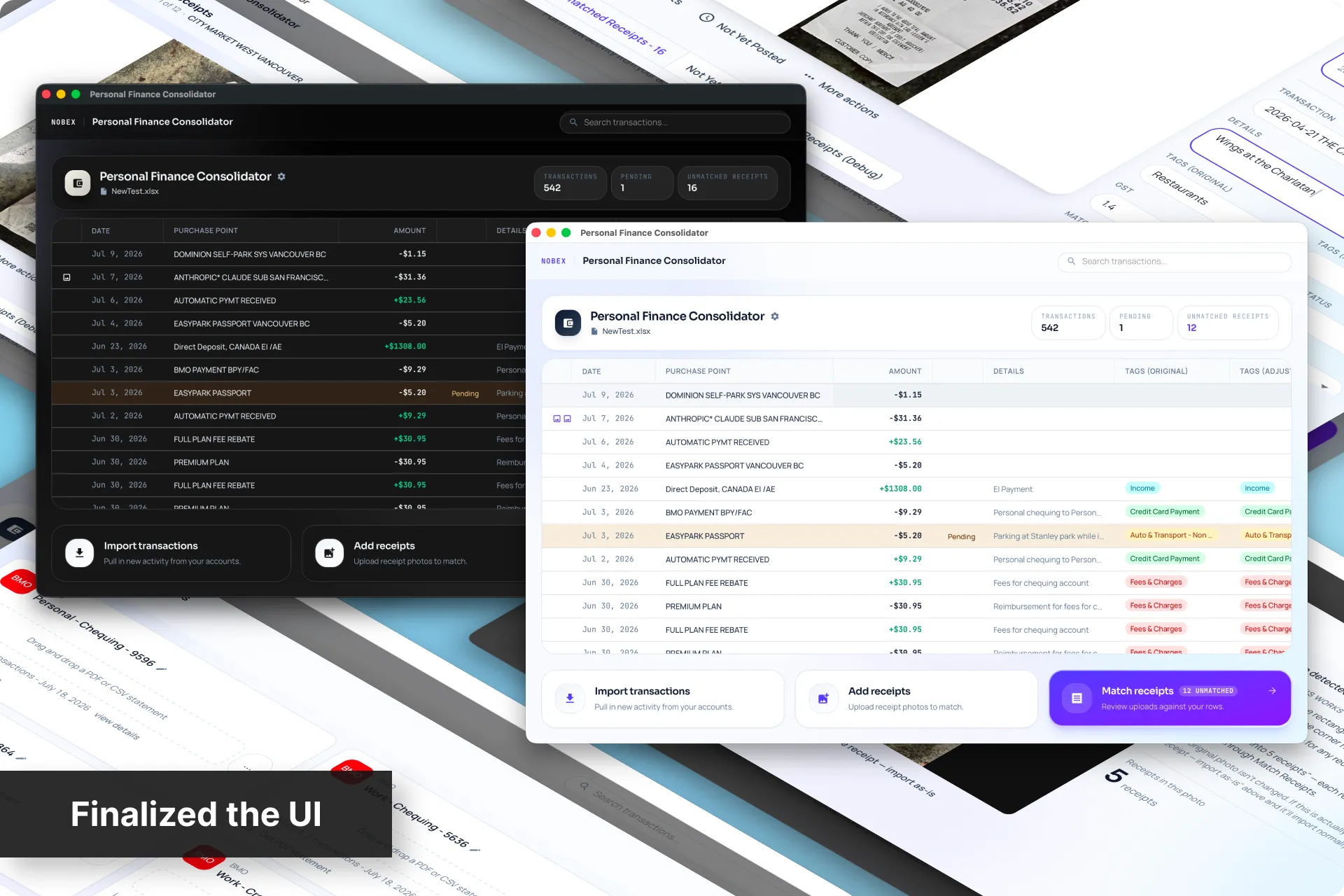
Now that this was a full product, I needed a more modern design. A few prompts later, I had one consistent glass design system plus a polished dark mode, all checked against real WCAG guidelines.
The outcome was a product that finally read as one thing, which shifted my focus from how it looked to whether it held up under real, messy use.
Edge cases and error states
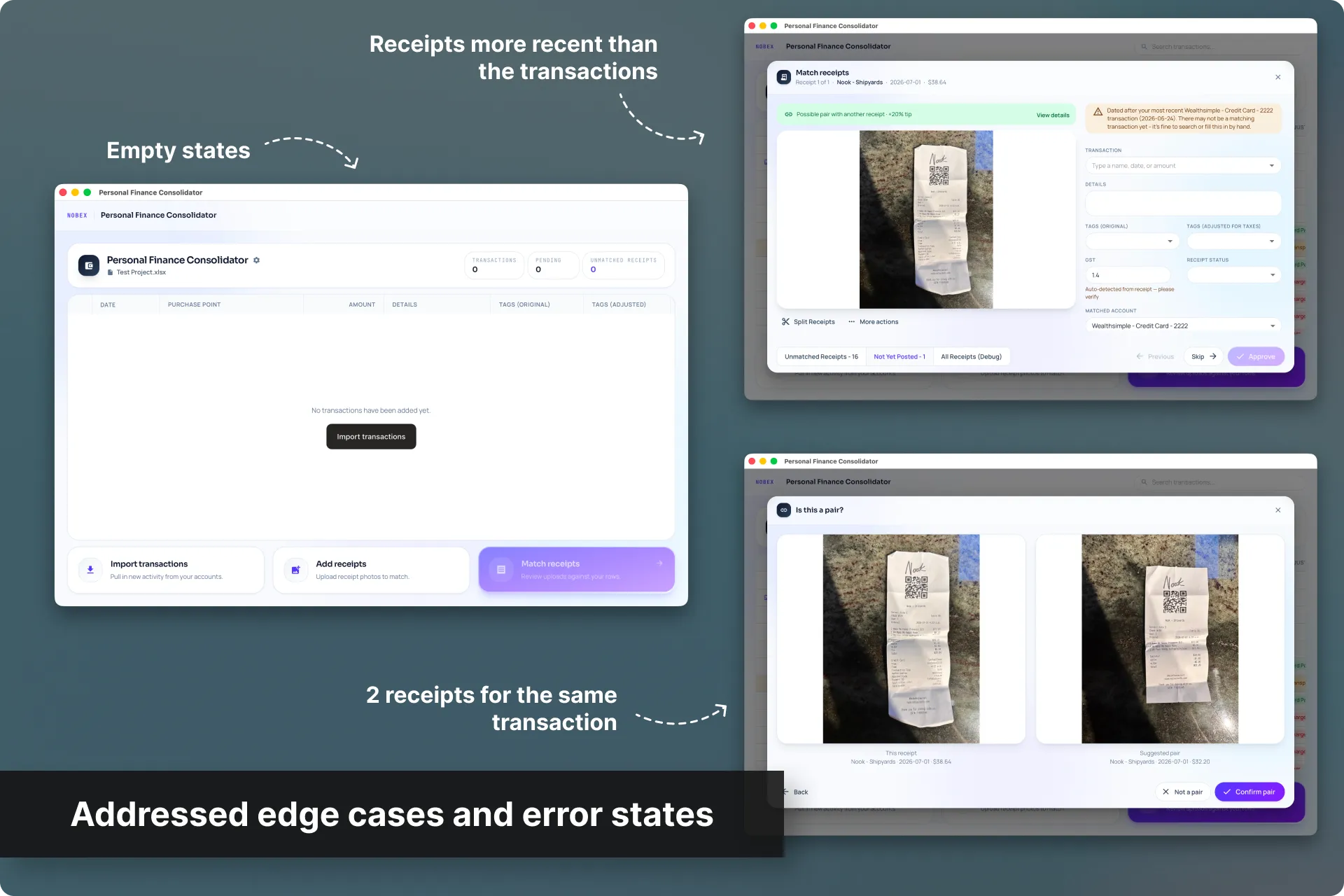
I then addressed the edge cases and error states (like no data, duplicate receipts, transactions and receipts out of sync, etc...)
The outcome was a product that failed safely and guided the user.
The app was finished on the frontend, now it was time to polish the code.
Code review and optimization
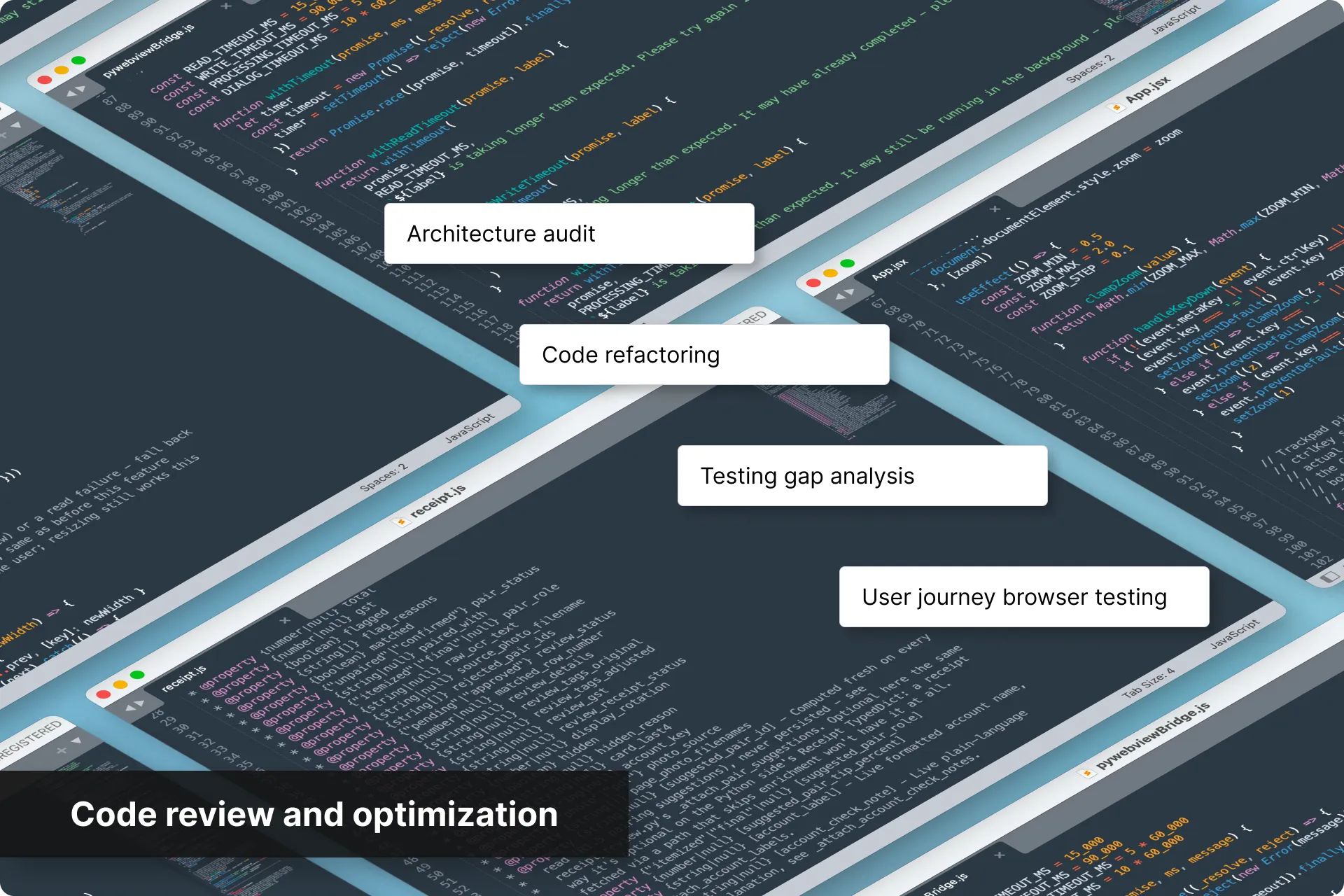
Before shipping anything, I like to run prompts to perform a dedicated architecture audit, code refactoring, a testing gap analysis, and user journey browser testing.
With my lack of dev knowledge, this gives me some peace of mind that the code has been vetted a few times over, and results in a product both polished and structurally sound, finally ready to actually replace my old manual process.
I'm saving time!
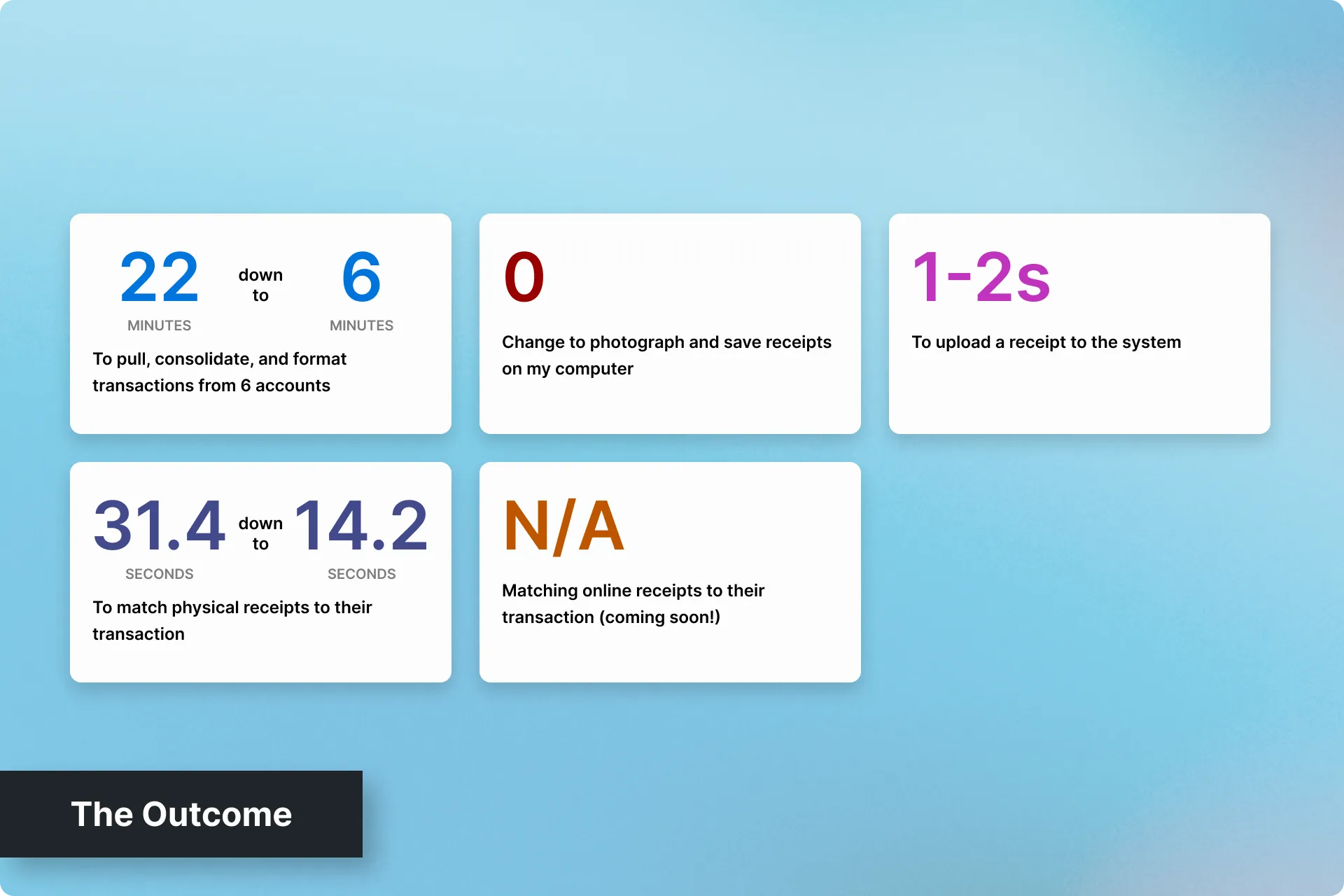
Here are some outcomes broken down by each part of the process:
- Pulling, consolidating, and formatting transactions from 6 accounts: ~22 minutes down to ~6 minutes
- Photographing and saving receipts on my computer: Unchanged
- Uploading receipts to the system (new): Around 1-2 seconds per photo
Bonus UX Outcomes:
- Matching physical receipts to their transaction: 31.35 seconds per receipt down to 14.2 seconds (average)
- Receipts can be found in seconds.
- Matching online receipts to their transaction: This has not been tackled yet
Online receipt matching
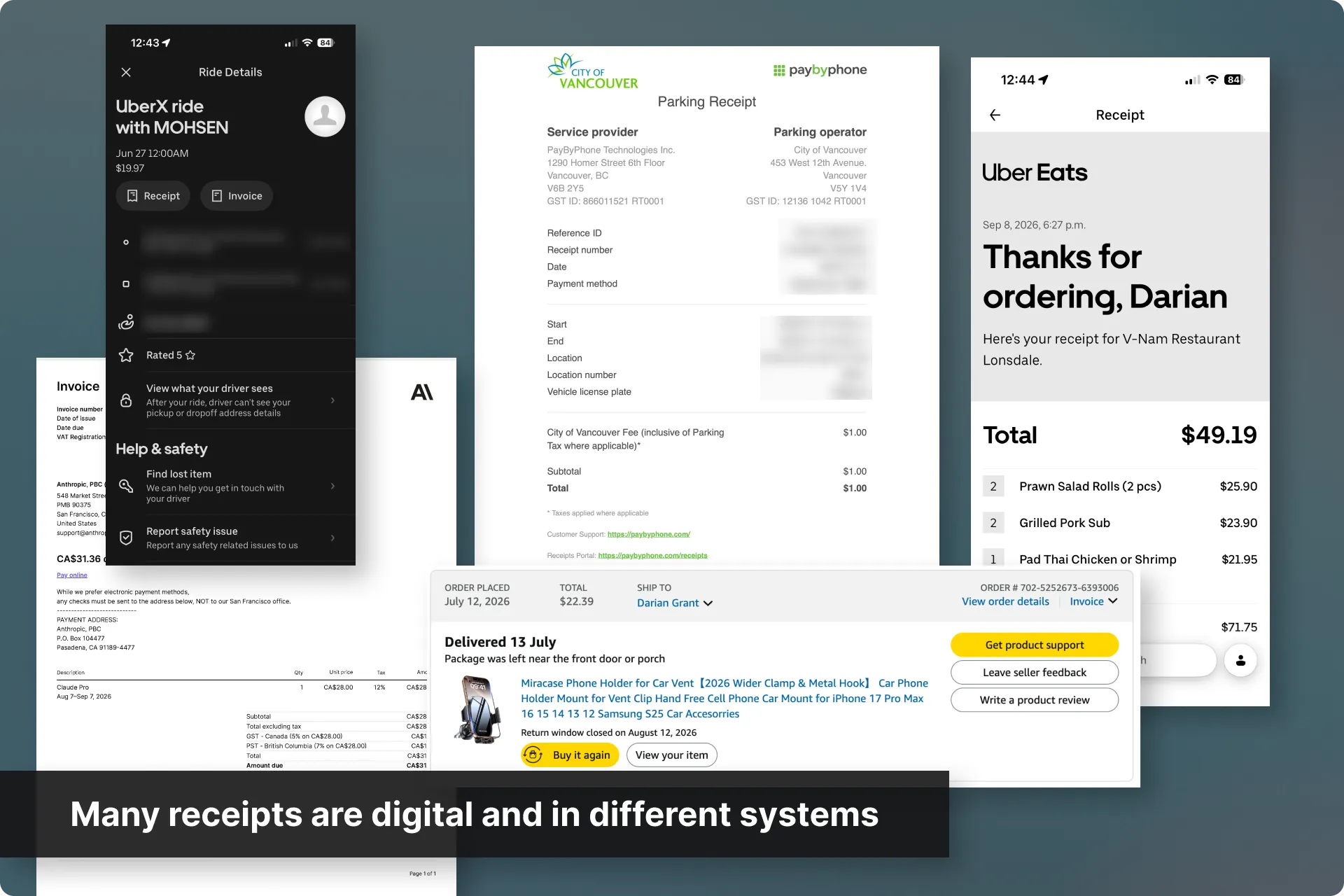
Many of my receipts are digital. My old process was to log into each site or app and manually match my transaction. This took the most time in my process.
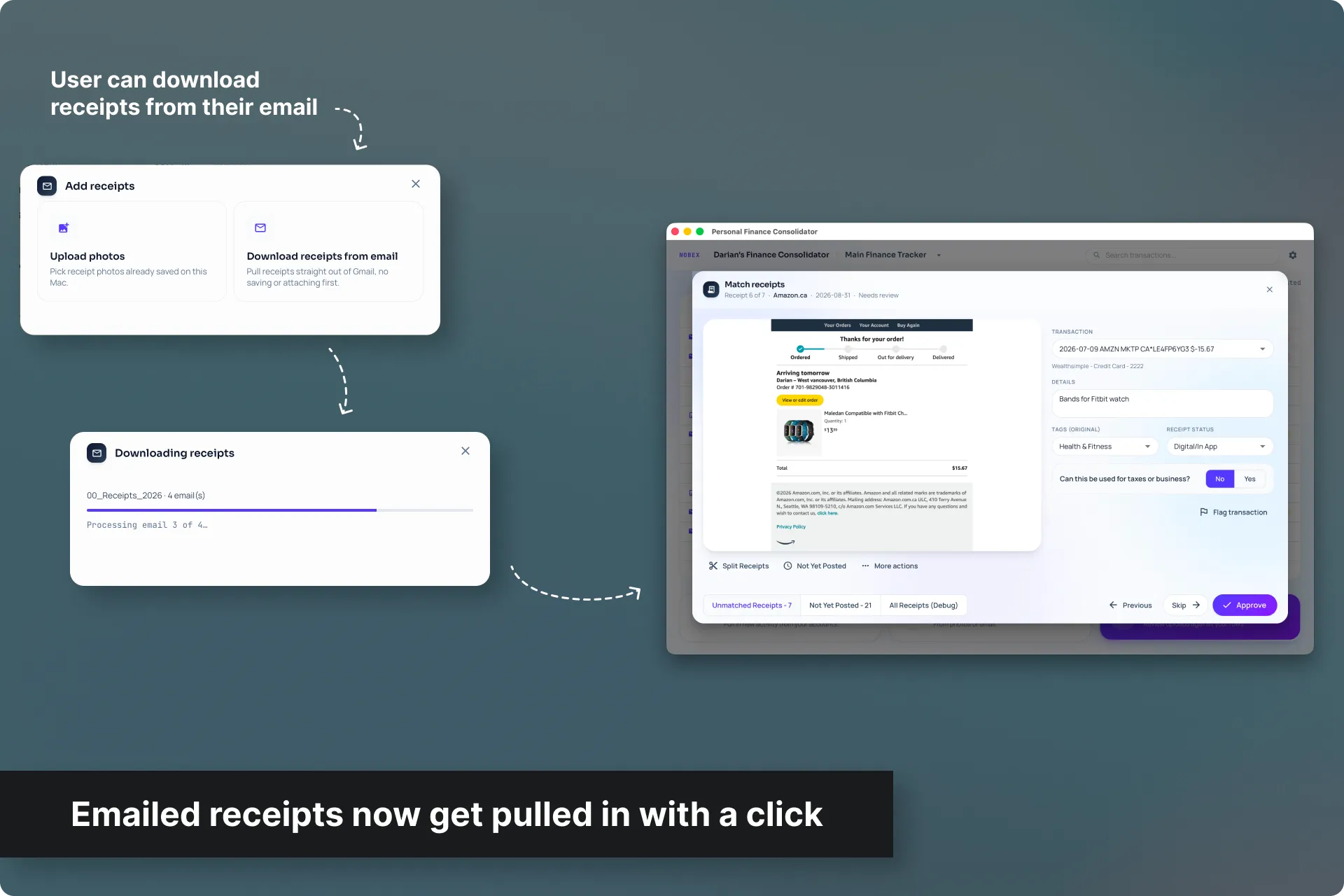
I've now created a flow where any receipt also sent to my email is placed inside a specific folder there. My app then connects to to my email using the gmail API and downloads any new receipts to my app.
This has cut down digital receipt consolidation time by 92%.
What took around an hour of time just to log into each system and find the receipt, now takes around 5 minutes. Then it's the same amount of time to consolidate the transaction within my finance app as it does with any other receipt.
Check back soon for more updates
 One good screen kicked off a product-wide redesign
How a weekend redesign helped me get company-wide commitment to rebuild Moz Pro's UI/UX, how I supported my team throughout it, and what happened when it became too slow.
Next Case Study
One good screen kicked off a product-wide redesign
How a weekend redesign helped me get company-wide commitment to rebuild Moz Pro's UI/UX, how I supported my team throughout it, and what happened when it became too slow.
Next Case Study
 How I focused on more meaningful work
Hired to redesign the flagship product, I then convinced the company NOT to redesign it for 7 years, and instead, focus on more impactful releases to our clients.
How I focused on more meaningful work
Hired to redesign the flagship product, I then convinced the company NOT to redesign it for 7 years, and instead, focus on more impactful releases to our clients.


 Email me